
Outdated website features are legacy design elements and deprecated functionalities that no longer meet modern user expectations, browser standards, or search engine requirements. Every website owner and digital marketer needs a clear common outdated website features list to audit their site before these elements quietly drain traffic and revenue. Mobile-inaccessible design sits at the top of that list, since the majority of users now browse on mobile devices. Slow load times, broken animations, and confusing navigation follow close behind. Identifying these problems is the first step toward a site that actually converts.

What are the most common outdated website features?
The list of old website features that still appear on live sites in 2026 is longer than most owners expect. Some of these elements were once considered best practice. Today, they signal neglect and push visitors away before a single word of your content gets read.
-
Flash animations. Adobe Flash reached end-of-life in december 2020. Every major browser now blocks it by default. Flash animations and hit counters look unprofessional and destroy user trust instantly. Replace them with CSS or HTML5 animations, which load faster and work on every device.
-
Hit counters. Displaying a visitor count badge made sense in 1999. Today it reads as amateur. Visitors do not need to know your traffic numbers, and a low count actively discourages trust.
-
Non-responsive, desktop-first layouts. Fixed-width layouts built for 1024-pixel screens break on phones and tablets. Ignoring mobile responsiveness results in high bounce rates and reduced user engagement. A mobile-first design approach is now the baseline, not a bonus.
-
Auto-playing music or video. Sites that blast audio the moment a page loads send visitors straight to the back button. This pattern peaked in the early 2000s and has no place in modern web design.
-
Excessive widgets and sidebars. Cluttered sidebars filled with social media badges, tag clouds, and recent-post widgets fragment attention. Clean, focused layouts consistently outperform busy ones.
-
Confusing or overloaded navigation. Weak navigation with too many menu items or vague labels confuses users and increases bounce rates. Effective navigation keeps the primary menu to five or six clear items maximum.
-
Outdated stock photography. Generic images of people shaking hands in suits signal inauthenticity. Real photos of your team, products, or location build far more trust.
How do outdated web design elements affect user experience and search rankings?
Outdated web design elements do not just look bad. They create measurable damage to performance, rankings, and revenue. The connection between old features and poor outcomes runs through four specific channels.
-
Slow load speeds. Heavy scripts and multiple JavaScript libraries reduce user retention and lower search visibility. Google's Core Web Vitals directly penalize slow pages in rankings. Every unnecessary script you carry is a tax on every visitor's patience.
-
High bounce rates from poor navigation. Confusing menus force visitors to guess where to go. When they cannot find what they need in seconds, they leave. Search engines interpret high bounce rates as a signal that your page did not satisfy the query.
-
Mobile usability failures. A site that does not reformat for a phone screen is effectively broken for the majority of your audience. Google uses mobile-first indexing, which means your mobile experience directly determines your search ranking, not your desktop version.
-
Inconsistent branding across pages. Inconsistent design across pages erodes visitor confidence and lowers conversions. When fonts, colors, and button styles change between pages, visitors subconsciously question whether the site is trustworthy.
-
Accessibility gaps. Many older sites lack adequate accessibility features, which hurts visually impaired users and may create legal exposure. Screen reader compatibility and sufficient color contrast are not optional extras in 2026.
Pro Tip: Run your site through Google's PageSpeed Insights and the WAVE accessibility checker before making any design changes. These two free tools will surface the highest-impact problems in under five minutes.
Which website features should you avoid to stay current?
Knowing what features ruin a website is half the battle. The other half is understanding why these patterns keep appearing and how to replace them with something that actually works.
-
Sliders and carousels. Sliders slow page load and are commonly ignored by users, making them ineffective for communication. Most visitors never click past the first slide. Replace a carousel with a single strong hero image and a clear headline.
-
Excessive plugins. Too many plugins cause conflicts and performance degradation. Each plugin adds code that must load on every page visit. Audit your plugin list quarterly and remove anything that does not serve a direct user need.
-
Aggressive popups. Popups firing immediately or stacking simultaneously annoy visitors and cause usability issues. If you use a popup, trigger it on exit intent or after 60 seconds, not the moment a page loads.
-
Fixed-width layouts. Any layout that does not scale fluidly across screen sizes is a deprecated website functionality. Responsive CSS grid and flexbox have replaced fixed-width tables as the standard approach.
-
Tiny or illegible text. Body text below 16 pixels is a common web design mistake that forces users to zoom in on mobile. Set your base font size at 16 pixels minimum and test it on an actual phone.
-
No clear calls to action. Pages that end without telling the visitor what to do next waste every second of attention they earned. Every page needs one primary call to action, placed above the fold and repeated at the bottom.
Pro Tip: Treat your plugin list like a subscription audit. Set a calendar reminder every 90 days to deactivate and delete any plugin you have not actively used or updated in the past quarter.
What are practical steps for updating outdated website features?
Replacing outdated web design elements does not require a full rebuild. A structured audit process lets you prioritize fixes by impact and tackle them in order.
-
Audit load speed first. Use Google PageSpeed Insights or GTmetrix to identify the scripts, images, and plugins adding the most weight. Fix the top three offenders before touching anything else.
-
Replace Flash with HTML5 or CSS animations. Any animation that currently requires a plugin or a browser extension needs to go. CSS keyframe animations and HTML5 canvas elements deliver the same visual effect with no compatibility issues.
-
Switch to a responsive template. If your current theme uses fixed-width columns, the fastest fix is a responsive template built on CSS grid. Most modern content management systems offer free responsive themes that meet Google's mobile-first indexing requirements.
-
Reduce and consolidate widgets. Audit every sidebar and footer widget. Keep only those that serve a direct user action, such as a search bar, a contact form, or a newsletter signup. Remove everything else.
-
Build a consistent design system. Consistent design across website and digital channels is a silent profit driver that builds trust and increases conversions. Define your brand colors, font stack, and button styles in one place. Apply them everywhere without exception.
-
Improve accessibility. Add alt text to every image, check color contrast ratios against WCAG 2.1 AA standards, and test keyboard navigation. These steps protect you legally and open your site to a wider audience.
The table below maps the most common outdated features to their modern replacements.
| Outdated feature | Modern replacement |
|---|---|
| Flash animations | CSS or HTML5 animations |
| Fixed-width layout | Responsive CSS grid or flexbox |
| Auto-playing audio | User-initiated media controls |
| Slider/carousel | Single hero image with clear headline |
| Excessive plugins | Lean, audited plugin set |
| Hit counter | Private analytics dashboard |
Key takeaways
Retiring outdated web design elements is the single most direct way to improve user experience, search rankings, and conversion rates simultaneously.
| Point | Details |
|---|---|
| Mobile-first is non-negotiable | Non-responsive layouts cause high bounce rates and hurt Google's mobile-first indexing. |
| Speed kills old features | Heavy scripts and excess plugins lower search visibility and drive visitors away. |
| Consistency converts | Uniform branding across every page builds trust and directly lifts conversion rates. |
| Audit before you rebuild | Use PageSpeed Insights and WAVE to find the highest-impact problems before spending on redesigns. |
| Accessibility is now a baseline | WCAG 2.1 AA compliance protects you legally and expands your reachable audience. |
The mistake I see most often on business websites
Designing for actual user behavior rather than personal aesthetic preferences is the most critical factor for website success. That sounds obvious. In practice, I watch business owners violate it constantly.
The pattern is always the same. An owner builds a site they are proud of, loads it with features that feel impressive, and then wonders why visitors leave without buying. The features they added, sliders, animated intros, sidebar widgets, were chosen because they looked good to the owner. They were not chosen because a visitor needed them.
The sites that convert best are almost always the simplest. One clear message above the fold. One call to action per page. Consistent fonts and colors throughout. No distractions competing for attention. Simplicity is not laziness. It is the result of removing everything that does not serve the visitor.
My honest advice: test one new design change at a time, measure its effect on bounce rate and conversions, and keep it only if the numbers improve. Gut instinct is a starting point. Data is the verdict.
— jacopo
How Talivo helps you leave outdated features behind
If auditing and rebuilding your site sounds like a project you keep postponing, Talivo removes the friction entirely.
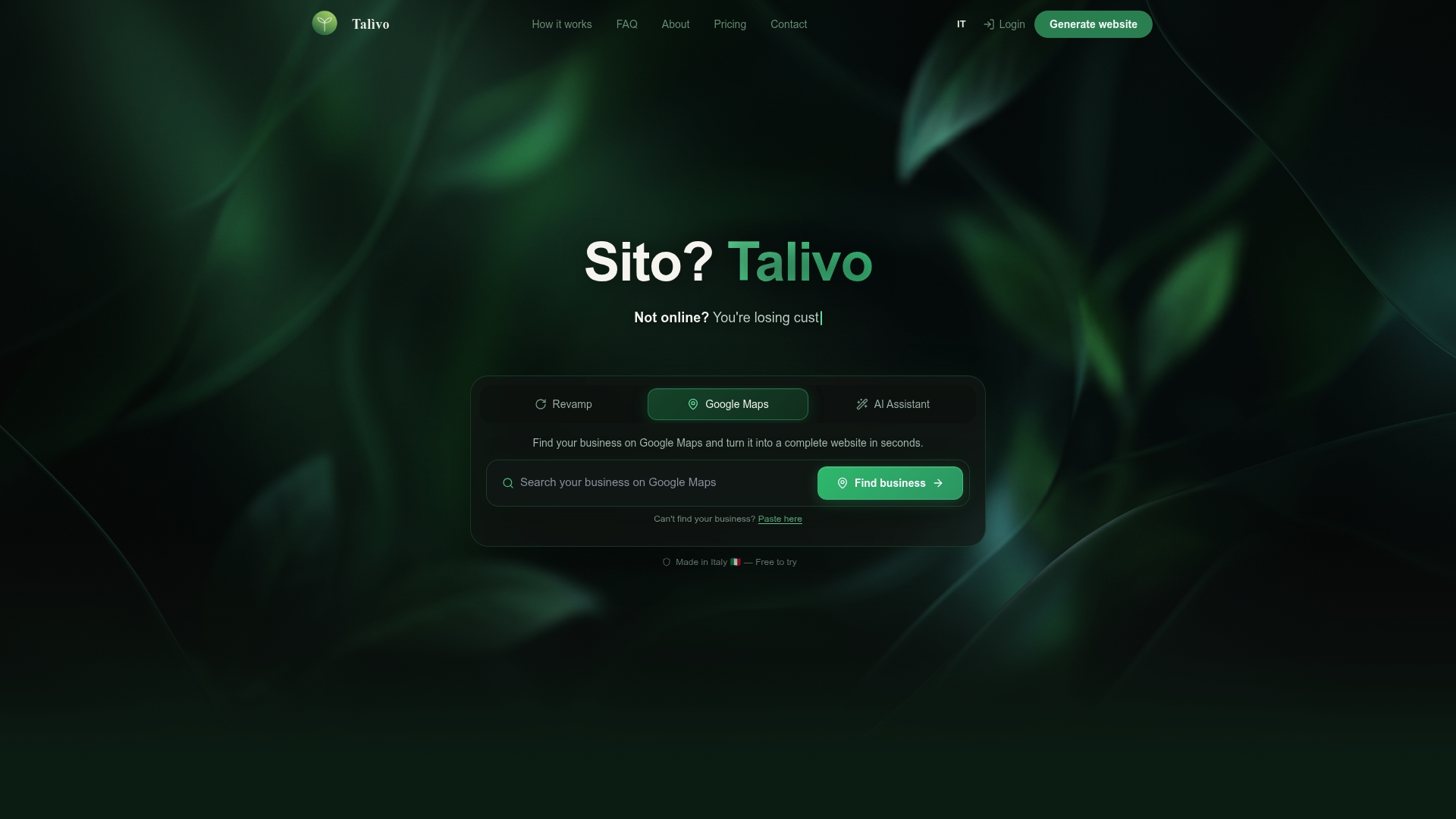
Talivo builds modern, mobile-first websites in minutes. Paste your existing URL and Talivo redesigns it with a clean layout, retaining your content and images while stripping out the legacy elements that hurt performance. If your business is listed on Google Maps but has no website, Talivo converts that listing directly into a full site, complete with photos, reviews, and contact details. No copywriting required. New business owners can describe their business from scratch and get a complete, AI-built website live the same day. See exactly how the process works on the Talivo how it works page.
FAQ
What are the most common outdated website features?
Flash animations, hit counters, fixed-width layouts, auto-playing audio, excessive sidebar widgets, and non-responsive design are the most common outdated website features still found on live sites. Each one damages user experience and search performance.
Do outdated web design elements hurt SEO?
Yes. Heavy scripts slow load times, poor mobile responsiveness triggers Google's mobile-first indexing penalties, and weak navigation increases bounce rates, all of which lower search rankings directly.
How do I know if my website has outdated features?
Run your site through Google PageSpeed Insights for performance issues and the WAVE tool for accessibility gaps. Both are free and return results in under a minute.
Is a slider or carousel still a good design choice?
No. Sliders slow page load and users ignore them, making them ineffective for communication. A single static hero image with a clear headline performs better in every measurable way.
How many plugins are too many for a website?
There is no fixed number, but excessive plugins create security vulnerabilities and slow down websites. Audit your plugin list every 90 days and remove any that are unused, unmaintained, or duplicating another plugin's function.