
AI in website creation is defined as the use of machine learning, large language models (LLMs), and automated design systems to build, write, and publish websites without requiring technical expertise. For small business owners and individuals, this shift is significant. What once took weeks of developer time and thousands of dollars now takes minutes. The role of AI in website creation covers everything from generating copy and selecting layouts to handling SEO metadata and publishing live pages. Platforms like Talivo demonstrate how far this technology has come, turning a Google Maps listing or a simple business description into a complete, professional website in one session.
What are the core functions of AI in the website creation process?
AI handles four distinct jobs when building a website: content generation, layout design, SEO setup, and code assistance. Each one replaces a task that previously required a specialist.
Content generation
AI generates website copy by analyzing your business description, industry, and tone preferences. It produces headlines, service descriptions, about pages, and calls to action. The output is not perfect on the first pass, but it gives you a working draft in seconds rather than a blank page. That alone removes the biggest barrier most small business owners face when starting a website.
Automated design and layout
AI website builders use LLMs, smart templates, and auto-layout engines to create structurally sound, responsive websites automatically. The system classifies each section of your site with semantic annotations, which tells search engines exactly what each block of content represents. This improves crawlability without any manual tagging. The result is a site that looks professionally designed and is already structured for search visibility.

SEO optimization built in
AI agents automate SEO tasks including keyword research, H1 and H2 tagging, meta descriptions, and schema markup. This means your site launches with the technical SEO foundation already in place. Most small business owners skip these steps because they do not know how to do them. AI removes that gap entirely.
Code assistance
AI can generate basic HTML, CSS, and JavaScript for users who want to customize beyond the template. This is useful for adding a booking widget, embedding a map, or adjusting a layout element. The code is functional, but it comes with a caveat covered in the best practices section below.
- AI generates working copy from a short business description
- Auto-layout engines select and arrange sections based on your industry
- SEO metadata is applied automatically at the point of publishing
- Basic code generation supports simple customizations without a developer
Pro Tip: Give the AI a one-paragraph description of your business, your top three services, and your ideal customer before generating content. The more specific your input, the more usable the output.
How can small businesses practically use AI to build a website?
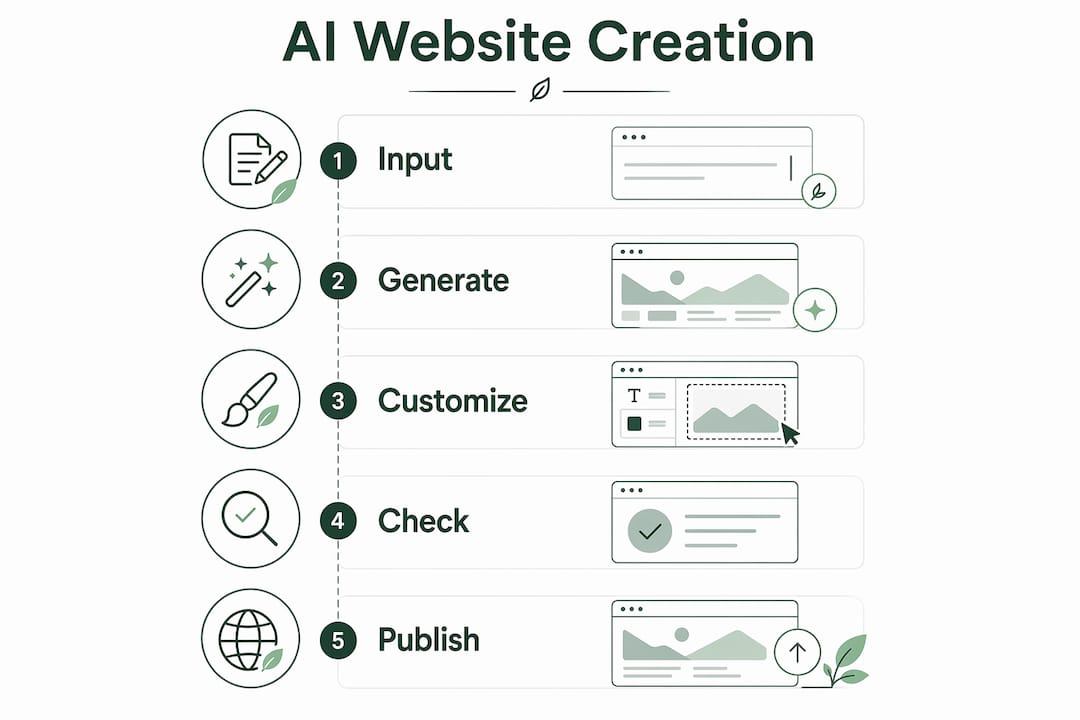
The practical workflow for using AI to build a website follows a clear sequence. Each step builds on the last, and you can stop at any point to review and adjust.
-
Start with your business information. Describe what you do, who you serve, and what makes you different. This is the raw material the AI uses to generate your site. Platforms like Talivo can pull this directly from your Google Maps listing, which means you do not have to write anything from scratch.
-
Let the AI generate a first draft. The system produces a full site structure including a homepage, service pages, and a contact section. Microsoft Copilot, for example, generates plans, layouts, content drafts, and smart sitemaps from a single prompt. Review the draft before making any edits.
-
Customize the copy and design. AI-generated content is a starting point, not a finished product. Adjust the tone, add specific details about your team or location, and replace any generic phrasing with language that reflects your actual business.
-
Check mobile responsiveness and accessibility. Most AI builders produce mobile-ready layouts by default, but you should verify this on an actual phone before publishing. Check that text is readable, buttons are tappable, and images load correctly.
-
Publish and set up basic SEO. Confirm that your page titles, meta descriptions, and H1 tags are accurate. If the AI has pre-filled these, read them carefully. A meta description that says "Welcome to our website" helps no one.
Pro Tip: If you already have an outdated website, paste the URL into an AI redesign tool rather than starting from scratch. Talivo reads your existing site and rebuilds it with a modern layout while keeping your content and images intact.
What is AI guided website setup, at its core, is this five-step process: input, generate, customize, check, and publish. The AI handles the technical work. You handle the brand decisions.
What do AI website creation tools cost?
Pricing for AI website tools varies widely based on what the platform automates and how much control it gives you.
Entry-level AI website builders start at around $2.99 per month for long-term commitments, while advanced tools built for e-commerce start near $29 per month. That price gap reflects a real difference in capability. The entry-level tier generates a basic site with limited customization. The higher tier handles product catalogs, payment processing, and automated inventory updates.
| Tool type | Starting price | Best for |
|---|---|---|
| Entry-level AI builder | ~$2.99/month | Simple service business sites |
| Mid-range AI builder | ~$10–$20/month | Blogs, portfolios, local businesses |
| Advanced AI e-commerce | ~$29/month | Online stores with product management |
| Fully automated AI platform | Varies | Businesses wanting zero manual setup |
The distinction between a fully automated AI platform and an AI-assisted tool matters. A fully automated platform, like Talivo, takes your input and produces a complete site with no design decisions required from you. An AI-assisted tool gives you AI suggestions but still expects you to make layout and content choices manually. For a small business owner with limited time, the fully automated approach delivers a faster result.
What are the best practices when using AI for website creation?
AI produces a working site quickly. Keeping it good over time requires a different set of habits.
-
Review every word the AI writes. AI-generated copy can be accurate but generic. A plumber in Austin and a plumber in Denver might get nearly identical homepage text. Add your city, your years of experience, and one specific detail that makes your business different.
-
Avoid publishing with a default template look. AI redesign tools that ingest your existing brand assets produce more cohesive results than tools that apply a generic layout. Upload your logo, specify your brand colors, and use any existing photos before generating the design.
-
Check accessibility before going live. Confirm that images have alt text, that color contrast meets readability standards, and that the site works with keyboard navigation. AI builders do not always handle these automatically.
-
Understand the limits of AI-generated code. AI-generated code often lacks proper documentation and consistent naming conventions. This makes future edits harder, especially if a developer other than the original AI system needs to modify the site later. Keep customizations minimal unless you have technical support.
-
Use AI for SEO, but verify the output. AI SEO tools automate metadata and content structuring to improve organic traffic, but they can generate keyword-stuffed or inaccurate descriptions. Read every meta description and page title before publishing.
Pro Tip: Run your published site through Google's PageSpeed Insights and a free accessibility checker like WAVE before sharing the URL publicly. These tools catch issues that AI builders sometimes miss.
The benefits of AI website copy generation are real, but they come with a responsibility to review what the machine produces. AI is fast. Human judgment is what makes the output trustworthy.
Key takeaways
AI in website creation automates design, content, and SEO so that small business owners can launch a professional site without technical skills or a large budget.
| Point | Details |
|---|---|
| AI covers four core functions | Content generation, layout design, SEO setup, and code assistance each replace a specialist task. |
| Practical setup follows five steps | Input your business details, generate a draft, customize, check responsiveness, then publish. |
| Pricing starts low | Entry-level AI builders begin near $2.99/month; advanced e-commerce tools start around $29/month. |
| Human review is non-negotiable | AI-generated copy and code require careful review to avoid generic content and maintenance problems. |
| Fully automated platforms save the most time | Tools like Talivo handle the entire process from input to live site with no design decisions required. |
What I've learned after watching AI reshape website creation
The conversation about AI and websites tends to focus on speed. Build a site in minutes. No coding required. That part is true, and it matters. But speed is not the real story.
The real shift is that AI has removed the excuse. For years, small business owners told themselves they would get a website "when they had time" or "when they could afford a developer." AI eliminates both barriers simultaneously. You do not need time to learn design. You do not need money to hire a copywriter. The tools exist, they work, and the entry cost is lower than a monthly phone bill.
What I find more interesting is how AI handles the blank page problem. Most people do not struggle to build a website. They struggle to start one. Staring at an empty template with no copy and no clear structure is paralyzing. AI solves that specific problem better than anything else I have seen. It gives you something to react to, and reacting is far easier than creating from nothing.
The caution I would offer is this: do not confuse speed with quality. A site that goes live in ten minutes with unreviewed AI copy is not better than no site. It is worse, because it represents your business with generic language that could belong to anyone. The AI does the heavy lifting. You still have to make it yours.
The Talivo blog covers specific use cases worth reading if you want to see how different business types approach this process.
— jacopo
How Talivo turns your business information into a live website
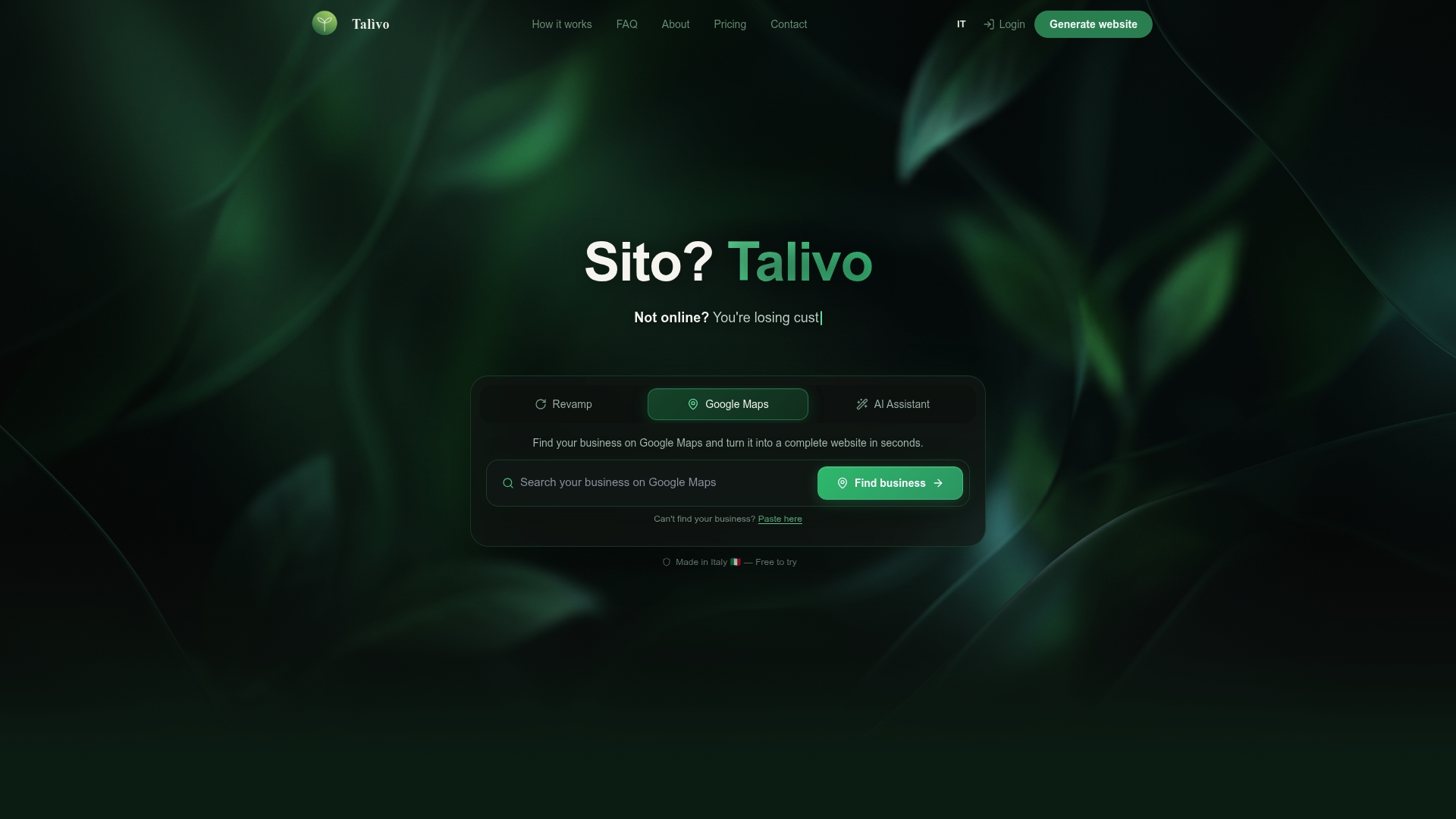
Talivo is built for exactly the situation most small business owners find themselves in: you know what your business does, but you do not know how to turn that into a website. Talivo reads your Google Maps listing, your existing site URL, or a plain-text description of your business and produces a complete, mobile-ready website in minutes. Photos, reviews, contact details, and service descriptions are pulled in automatically. No copywriting required. No design decisions to make. For businesses ready to move from idea to live site, see how Talivo works and what the process looks like from start to finish.
FAQ
What is the role of AI in website creation?
AI in website creation automates design, content writing, SEO setup, and code generation so that non-technical users can build professional websites without hiring specialists. It uses LLMs, smart templates, and auto-layout engines to produce complete, search-ready sites from a simple business description.
How much does an AI website builder cost?
Entry-level AI website builders start at around $2.99 per month, while advanced platforms with e-commerce features begin near $29 per month. The price reflects the level of automation and the complexity of features included.
What is AI guided website setup?
AI guided website setup is a step-by-step process where the AI asks for your business details, generates a full site structure, and walks you through reviewing and publishing the result. Platforms like Talivo handle this process end to end with minimal input required from the user.
Do I need to review AI-generated website content?
Yes. AI-generated copy is a starting draft, not a finished product. Generic phrasing, inaccurate details, and keyword-stuffed meta descriptions are common issues that require human review before publishing.
Can AI handle SEO for my website automatically?
AI tools automate core SEO tasks including H1 and H2 tagging, meta descriptions, and schema markup. Reviewing the output before publishing is still necessary, since automated SEO can produce inaccurate or overly generic descriptions that hurt rather than help your rankings.