
Web accessibility is defined as the practice of building and maintaining digital content so every person, including those with disabilities, can use it fully. The role of accessibility in website updates goes far beyond legal compliance. According to the Level Access 2026 report, 89% of digital experience professionals view accessibility as a competitive advantage, and 75% report it improves revenue. Standards like WCAG 2.2 set the technical bar, and meeting them during every update cycle protects your business while expanding your audience. Accessibility is not a feature you add once. It is a quality standard you maintain continuously.
What are the core accessibility principles every update must address?
WCAG 2.2, the Web Content Accessibility Guidelines published by the W3C, organizes all accessibility requirements under four principles: Perceivable, Operable, Understandable, and Robust. These are commonly called the POUR principles. Every update your team ships should be measured against them. If content cannot be perceived by a screen reader, operated by a keyboard, understood by a user with a cognitive disability, or rendered correctly by assistive technology, it fails at least one of these four criteria.
The good news is that most failures cluster around a small set of structural errors. Six specific structural errors cause 96.4% of all web accessibility issues. That means targeted fixes, not full redesigns, resolve the overwhelming majority of problems. The six most common errors are:
- Missing or meaningless alt text on images
- Empty or mislabeled form fields
- Low color contrast between text and background
- Missing document language declaration in the HTML tag
- Empty links or buttons with no descriptive text
- Skipped or improperly nested heading levels
WCAG 2.2 advances also introduced stricter criteria for focus visibility, navigation consistency, and interactive element sizing. These updates reflect how people actually use modern websites, including on mobile and with switch controls.
Automated scanning tools like axe or Lighthouse catch a portion of these errors quickly. But automated scans detect only 30–50% of programmatic issues. Keyboard navigation failures and broken focus management are high-impact problems that automated tools consistently miss. Manual testing fills that gap.

Pro Tip: Run a keyboard-only session on your site after every major update. Tab through every interactive element and confirm that focus indicators are always visible and that no keyboard trap exists.
How does treating accessibility as an operational capability improve your workflow?
Accessibility breaks down as a project when teams treat it as a one-time audit. Smashing Magazine's editorial position is direct: accessibility is an operational capability that must be integrated into daily workflows, not a feature shipped once and forgotten. That shift in thinking changes how developers write code, how marketers write copy, and how business owners approve designs.
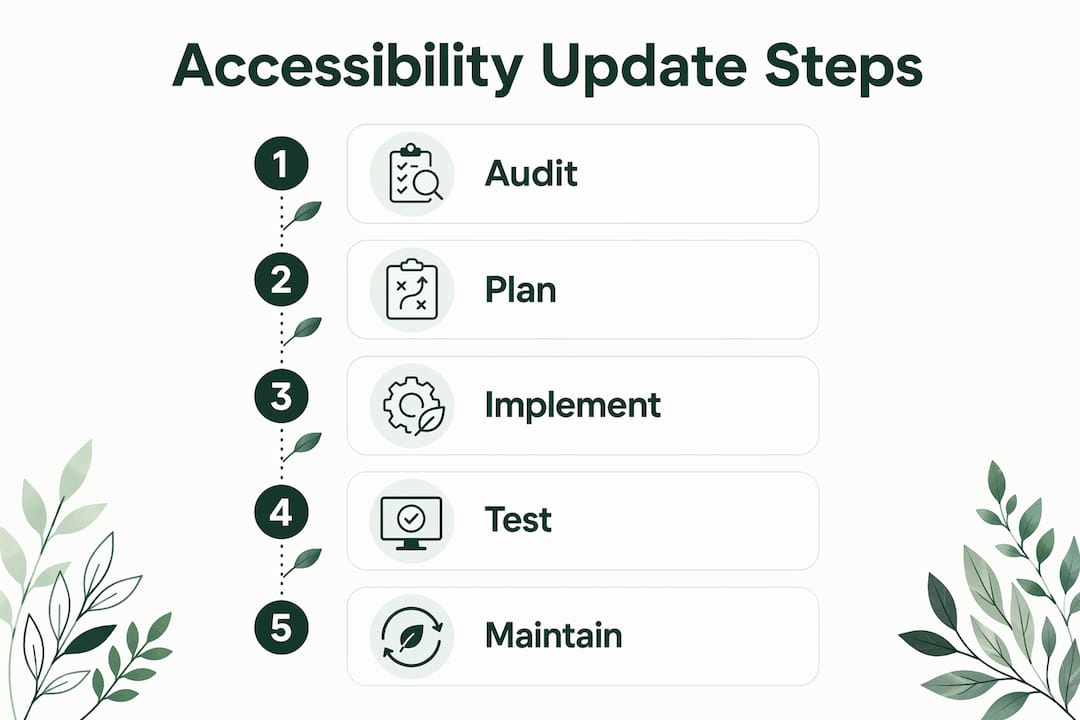
The practical change starts with your Definition of Done. Every ticket, pull request, or content update should include an accessibility check before it is marked complete. This does not require a specialist on every task. It requires a shared checklist and a culture where accessibility failures block a merge the same way a broken test does.
Four workflow habits make the biggest difference:
- Write semantic HTML by default. Use
<button>for buttons,<nav>for navigation, and<h1>through<h6>in logical order. Semantic elements communicate structure to assistive technologies without extra code. - Implement ARIA attributes only when native HTML cannot do the job. Misused ARIA creates more problems than it solves.
- Build keyboard navigation and visible focus states into every interactive component from the start, not as an afterthought.
- Avoid accessibility overlay widgets. Overlay widgets do not fix code-level issues and can worsen usability and litigation risk. True compliance requires fixing the underlying source code.
"Accessibility is a proxy for engineering maturity. Teams that build accessibly write more maintainable, reliable software across the board. The discipline required to support a screen reader is the same discipline that produces clean, testable code." Smashing Magazine
Continuous accessibility maintenance also prevents the expensive emergency remediation that hits teams who ignore the issue until a complaint or lawsuit forces action.
What practical steps can you take to update an existing site for accessibility?
Most site owners fear that fixing accessibility means rebuilding everything. That fear is unfounded. Fixing core HTML structure and semantic code addresses nearly all accessibility issues without changing the visual design. Your brand, your colors, and your layout stay intact. The work happens in the source code.
A structured six-week roadmap, as outlined by Kritano's accessibility guidance, moves a site from non-compliant to WCAG 2.2 Level AA without a full redesign:
- Week 1: Audit. Run automated scans with axe or Lighthouse. Document every failure by category. Check your site against the common outdated website features that frequently introduce accessibility gaps.
- Week 2: Fix structural issues. Add alt text to all images. Label every form field. Correct heading hierarchy. Set the document language attribute.
- Week 3: Fix color and contrast. Use a contrast checker to bring all text up to a 4.5:1 ratio against its background, the WCAG 2.2 Level AA minimum.
- Week 4: Keyboard and focus testing. Manually tab through every page. Fix any element that traps focus or loses the visible focus indicator.
- Week 5: User testing. Test with at least one screen reader, such as NVDA on Windows or VoiceOver on macOS. Recruit a real user with a disability if possible.
- Week 6: Document and train. Write a short accessibility policy. Brief your content team on alt text and heading rules so new content stays compliant.
| Week | Focus area | Key deliverable |
|---|---|---|
| 1 | Audit | Full issue log by category |
| 2 | Structural fixes | Alt text, labels, headings corrected |
| 3 | Visual fixes | Color contrast at 4.5:1 or better |
| 4 | Keyboard testing | Zero focus traps, visible indicators |
| 5 | User testing | Screen reader session documented |
| 6 | Documentation | Accessibility policy and team brief |
Pro Tip: Fix issues in the source code, never in an overlay widget. Overlays create a second, fragile layer that breaks with browser updates and does not satisfy legal requirements.
How do accessibility improvements benefit SEO and business outcomes?
Accessible design benefits every visitor, not just those with disabilities. High contrast text, captions, and clear structure help users in bright sunlight, noisy environments, or on slow connections. Good accessibility is, by definition, good design.
The SEO connection is direct and measurable. Search engines read your HTML the same way screen readers do. Proper heading structure, descriptive alt text, and semantic markup all improve how Google and AI-powered search tools index and rank your pages. Improving accessibility naturally improves SEO performance and visibility in AI-powered search. That means the same fixes that help a blind user also help your organic traffic.
The business case is equally strong:
- 89% of digital experience professionals see accessibility as a competitive advantage.
- 75% of those same professionals report that accessibility improvements increase revenue.
- Accessible sites reduce legal exposure under the Americans with Disabilities Act and similar frameworks.
- Broader usability attracts customers who would otherwise leave a site that does not work with their assistive technology.
Accessibility also signals product quality to enterprise buyers and procurement teams who now routinely include accessibility requirements in vendor evaluations. A site that meets WCAG 2.2 Level AA is a site that passes more procurement checklists.
Key Takeaways
Accessibility built into every website update cycle is the most cost-effective path to compliance, better SEO, and a wider customer base.
| Point | Details |
|---|---|
| Six errors drive most failures | Fixing alt text, labels, contrast, headings, links, and language covers 96.4% of issues. |
| Automate and test manually | Automated scans catch 30–50% of issues; keyboard and screen reader testing catches the rest. |
| Embed it in your workflow | Add accessibility checks to your Definition of Done to avoid costly emergency fixes later. |
| Skip overlay widgets | Overlays worsen usability and litigation risk; fix the source code instead. |
| Accessibility grows revenue | 75% of professionals report accessibility improvements directly increase revenue. |
Accessibility as a growth lever, not a checkbox
I have reviewed hundreds of website update projects over the years, and the pattern is always the same. Teams treat accessibility as the last item on the list, something to address after launch if a complaint arrives. That approach costs three to five times more than building it in from the start. Emergency remediation under legal pressure is expensive, stressful, and public.
What I find more interesting is the competitive angle that most teams ignore. When your site works flawlessly with a screen reader, it also works better for every user on a slow connection, an older device, or an unfamiliar interface. The discipline of writing clean semantic HTML produces code that is easier to maintain, faster to update, and less likely to break during a CMS migration. Accessibility is not a separate track. It is the quality track.
The teams that get this right do one thing differently: they test with real users who rely on assistive technologies. Real user testing reveals usability issues that no automated tool will ever surface. A 30-minute session with a screen reader user will teach your developer more than a 200-item automated report. That investment pays back immediately in reduced rework and in the confidence that your site actually works for the people it is supposed to serve.
Developers, marketers, and business owners all share responsibility here. Developers write the code. Marketers write the copy and choose the images. Business owners approve the budgets and timelines. Accessibility only works when all three groups treat it as a shared standard, not someone else's problem.
— jacopo
How Talivo builds accessibility into your website from day one
Accessibility compliance during a website update should not require a six-month project or a specialist agency. Talivo's AI-driven platform builds modern, mobile-first websites with clean semantic HTML and structured content from the start, which means fewer accessibility gaps to fix later.
Whether you are refreshing an outdated site or building from a Google Maps listing, Talivo handles the structural foundation that accessibility depends on. Small business owners and developers can build a website with AI that is ready for real users from day one. For a closer look at how the process works, the Talivo workflow walks through each step from input to live site.
FAQ
What is the role of accessibility in website updates?
Accessibility in website updates ensures that every change made to a site keeps it usable for people with disabilities. It covers structural code, visual design, and interactive behavior, all measured against WCAG 2.2 standards.
What are the most common accessibility errors on websites?
Six structural errors cause 96.4% of all accessibility issues: missing alt text, unlabeled form fields, low color contrast, missing document language, empty links or buttons, and skipped heading levels.
Do accessibility improvements help with SEO?
Accessible semantic HTML improves how search engines and AI-powered tools index your content. Better heading structure, descriptive alt text, and clean markup all contribute to higher search visibility.
Can I fix accessibility without redesigning my website?
Fixing core HTML structure and semantic code addresses nearly all accessibility issues without changing your visual design. A structured six-week remediation roadmap can bring most sites to WCAG 2.2 Level AA compliance.
Are accessibility overlay widgets a reliable fix?
Overlay widgets do not fix code-level issues and can increase litigation risk. WCAG compliance requires fixing the underlying source code, not adding a JavaScript layer on top of broken markup.