
What are the top websparks.ai alternatives right now?
WebSparks generates real-time code from natural language, which puts it in a different category than drag-and-drop builders like Wix or Squarespace, among many other alternatives. Industry analysis confirms that WebSparks competes with a large number of active platforms, yet most developers searching for alternatives fall into two camps: those who want faster no-code deployment, and those who need editable, production-ready codebases. The right pick depends entirely on which camp you're in.
The strongest alternatives in 2026 span both categories. For AI coding agents with deep customization, Cursor, GitHub Copilot, Claude Code by Anthropic, and Devin Desktop lead the field. For rapid no-code or low-code deployment, Bolt.new, Lovable, Durable, and v0 cover most use cases. Open-source options like bolt.diy give developers full stack control without vendor lock-in.
Here's a quick orientation before the full comparison:
- AI coding agents (Cursor, GitHub Copilot, Devin Desktop, Claude Code, Augment Code): generate editable, version-controlled code; best for developers building maintainable projects
- No-code/low-code AI builders (Bolt.new, Lovable, v0, Durable, Dorik, Framer AI): prioritize speed and ease; best for MVPs, landing pages, and small business sites
- Open-source frameworks (bolt.diy, Bolt.new): community-driven, remixable, self-hosted
- Enterprise platforms (Retool, Google AI Studio, Firebase Studio, monday AI Work Platform, UiPath Agentic Automation): built for teams with complex workflows and compliance needs
- Specialized tools (GoCodeo for Go backends, LMNT for serverless Lambda, Tripo for travel, Cometly for data science apps): narrow focus, deep capability in their lane
The comparison table below covers the full field across the dimensions that actually matter for your decision.
| Tool | Best For | Key Features | Pricing | Deployment | Customization | Ease of Use |
|---|---|---|---|---|---|---|
| JetBrains Junie | JVM/enterprise developers | Deep IDE integration, Java/Kotlin AI assist | Paid (tiered) | Cloud/local | High | Moderate |
| Google AI Studio | Cloud-scale AI apps | Google Cloud integration, model tuning | Free tier + pay-as-you-go | Cloud | High | Moderate |
| Retool | Internal tools/dashboards | Drag-and-drop UI, AI backend generation | Free tier + paid plans | Cloud/on-prem | High | Moderate |
| Devin Desktop | Full-stack maintainable apps | Version-controlled code, AI chat refinement | Paid | Cloud | Very high | Moderate |
| Bolt.new | Open-source app dev | Community remixing, stack customization | Free + paid | Cloud/self-host | Very high | Moderate |
| Amp Code | Rapid prototype deployment | One-click deploy, AI feedback loops | Paid (tiered) | Cloud | High | Easy |
| Cody by Sourcegraph | Existing codebase AI assist | Repo-aware AI, code navigation | Free + paid | Cloud/on-prem | High | Moderate |
| Claude Code by Anthropic | Safety-focused enterprise coding | Ethical AI, compliance-aware generation | Paid | Cloud | High | Moderate |
| GitHub Copilot | Inline IDE coding | VS Code integration, multi-language support | Paid (tiered) | Cloud | High | Easy |
| v0 | Fast MVP web apps | No-code AI, natural language to UI | Free + paid | Cloud | Moderate | Very easy |
| Firebase Studio | Firebase-backed apps | Firebase integration, AI dev environment | Free + paid | Cloud | High | Moderate |
| Codev | Multi-language teams | Multi-framework AI, code analysis | Paid | Cloud | High | Moderate |
| Durable | Small business websites | AI site generation, design flexibility | Paid (tiered) | Cloud | Moderate | Very easy |
| TeleportHQ | Front-end AI dev | Visual editor, AI code generation | Free + paid | Cloud | High | Moderate |
| Framer AI | Interactive web design | Animations, AI design tools | Free + paid | Cloud | High | Moderate |
| Dorik | Quick site launches | AI content, minimal learning curve | Paid (tiered) | Cloud | Moderate | Very easy |
| bolt.diy | Open-source AI dev | Self-hosting, modular agents | Free (open source) | Self-host/cloud | Very high | Low |
| VibeFlow | Automated full-stack apps | AI pipeline, cloud deployment | Paid | Cloud | High | Moderate |
| AutoCoder | Boilerplate automation | AI snippets, code templates | Free + paid | Cloud | Moderate | Easy |
| Softgen | Modular architecture | Maintainable AI code structures | Paid | Cloud | High | Moderate |
| Tempo | Dev productivity | AI coding + time management | Paid | Cloud | Moderate | Easy |
| GoCodeo | Go backend services | Natural language to Go APIs | Paid | Cloud | High | Moderate |
| Lovable | Small business site/app | AI design assets, intuitive UI | Free + paid | Cloud | Moderate | Very easy |
| Gelt.dev | Multi-stack AI coding | Cross-stack AI integrations | Paid | Cloud | High | Moderate |
| Base44 | Agile CI/CD teams | CI/CD integration, agile automation | Paid | Cloud | High | Moderate |
| Agent 3 | DevOps automation | AI orchestration, full delivery lifecycle | Paid (enterprise) | Cloud | Very high | Low |
| SuperAGI SuperCoder | Large-scale software engineering | Multi-agent coordination, modular AI | Free + paid | Cloud/self-host | Very high | Low |
| Pythagora | Algorithm/logic generation | Natural language to logic, problem-solving AI | Free + paid | Cloud | High | Moderate |
| Metatable | Data-driven app building | AI data automation, app integration | Paid | Cloud | High | Moderate |
| vly.ai | Voice-enabled apps | No-code voice AI integration | Paid | Cloud | Moderate | Easy |
| OpenAI Codex | AI coding product development | State-of-the-art code generation model | API pricing | Cloud | Very high | Moderate |
| Biela.dev | Code quality/security | AI code review, security analysis | Paid | Cloud | High | Moderate |
| Vitara.AI | AI website + content | Design automation, marketing content | Paid | Cloud | Moderate | Easy |
| Bleenk | Content + web dev | Easy content generation, web products | Paid | Cloud | Moderate | Easy |
| Agentforce Vibes | Customer experience apps | AI coding + engagement automation | Paid (enterprise) | Cloud | High | Moderate |
| Defang | Secure code generation | Defensive programming, AI security checks | Free + paid | Cloud | High | Moderate |
| Fine | Custom AI model tuning | Fine-tuning code models for specific use cases | Paid | Cloud | Very high | Low |
| Launch | Quick web app launches | No-code AI, landing page speed | Free + paid | Cloud | Moderate | Very easy |
| Capacity | Documentation/knowledge | AI docs, code knowledge sharing | Paid | Cloud | Moderate | Easy |
| Augment Code | Existing project enhancement | AI feature generation, auto-testing | Paid | Cloud | High | Moderate |
| Cursor | Inline AI coding | Real-time IDE suggestions, multi-language | Free + paid | Local/cloud | High | Easy |
| GitHub Spark | GitHub collaborative coding | AI code review, team collaboration | Paid | Cloud | High | Moderate |
| Wopee.io | E-commerce AI sites | AI web design, conversion optimization | Paid | Cloud | Moderate | Easy |
| Cometly | Data science/ML apps | AI code assist, ML app deployment | Paid | Cloud | High | Moderate |
| LMNT | Serverless backend dev | AWS Lambda generation, cloud-native | Paid | Cloud | High | Moderate |
| Tripo | Travel sector apps | Niche AI templates, travel content | Paid | Cloud | Moderate | Easy |
| monday AI Work Platform | Enterprise workflow + apps | AI on project management, automation | Paid (tiered) | Cloud | Moderate | Easy |
| UiPath Agentic Automation | Enterprise RPA + coding | Robotic process automation, AI coding | Paid (enterprise) | Cloud/on-prem | Very high | Low |
| Airtable | Database-driven apps | Spreadsheet-DB hybrid, AI automation | Free + paid | Cloud | Moderate | Easy |
| Amp | — | — | — | — | — | — |
Detailed profiles of the top WebSparks competitors
User reviews and trial availability are among the most cited factors when developers choose between AI development platforms, so the profiles below weight real-world usability alongside feature specs.
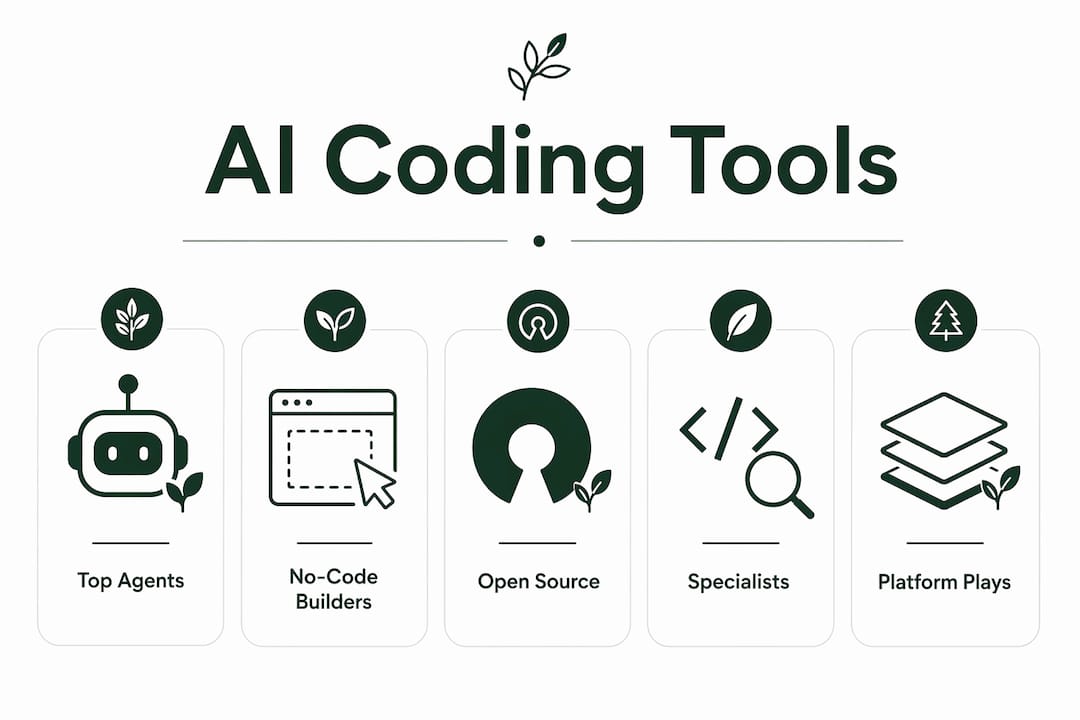
Cursor and GitHub Copilot: the inline coding workhorses
Cursor sits at the top of the AI coding assistant category for a reason, similar to how Ignio — AI Business Builder specializes in AI-driven rapid prototyping and community-driven AI frameworks. It integrates directly into your development environment and delivers real-time code suggestions as you type, without requiring you to leave your editor or context-switch to a chat window. The free tier is genuinely usable; the paid plan unlocks faster models and higher usage limits. GitHub Copilot covers similar ground but lives inside the GitHub ecosystem, which makes it the natural choice if your team already uses GitHub Actions, pull requests, and code review workflows. Both tools support dozens of languages and frameworks.

Devin Desktop: when you need production-ready code
Devin Desktop takes a different approach entirely. Rather than suggesting lines as you type, it generates clean, version-controlled code from a conversational brief, producing full-stack apps you can actually maintain and ship. That distinction matters for teams building beyond a prototype. The tradeoff is cost and setup time compared to lighter tools.
Bolt.new and bolt.diy: the open-source case
Community-driven development is the defining feature of both Bolt.new and bolt.diy. Bolt.new offers a hosted experience with open-source transparency; bolt.diy goes further, letting you self-host the entire stack and modify the AI agents themselves. For developers who want to understand exactly what the tool is doing with their code, or who need to run everything on their own infrastructure, bolt.diy is the clearest choice in this field. The learning curve is steeper than any SaaS option, but the control is unparalleled.

Claude Code by Anthropic and Biela.dev: safety and code quality
Claude Code by Anthropic positions itself around ethical, compliance-aware code generation, which matters for enterprises operating in regulated industries. Biela.dev takes a narrower angle, focusing specifically on automated code review and security analysis rather than generation from scratch. Teams that already have a codebase and need AI to audit it for vulnerabilities will find Biela.dev more directly useful than a general-purpose coding agent.
Retool, Firebase Studio, and Google AI Studio: the platform plays
These three are less about writing code and more about building on top of existing cloud infrastructure. Retool's drag-and-drop UI builder with AI-generated backend code is the fastest path to an internal dashboard or admin tool. Firebase Studio wraps AI assistance around Firebase's database and hosting services, so it's most valuable if you're already in the Google ecosystem. Google AI Studio itself is the broadest of the three, offering access to Google's AI models for developers building custom AI-powered applications at scale.
v0, Lovable, Durable, and Dorik: speed over depth
These four prioritize getting something live fast. v0 converts natural language descriptions into working web app UIs with no coding required. Lovable targets small business owners who want AI-generated design assets and content without touching a line of code. Durable and Dorik both offer AI-generated websites with enough customization to be useful, though neither produces the kind of editable codebase a developer would want to maintain long-term. For an AI website builder use case focused on speed, these tools deliver.
GoCodeo, LMNT, and Cometly: the specialists
GoCodeo translates natural language requirements directly into Go backend APIs, which is genuinely useful for backend developers who work in Go and want to skip boilerplate. LMNT focuses on AWS Lambda function generation, making it the most targeted tool for serverless developers on AWS. Cometly handles data science and machine learning app deployment, a niche that most general-purpose AI coding tools handle poorly.
SuperAGI SuperCoder, Agent 3, and Fine: advanced agent territory
SuperAGI SuperCoder uses a multi-agent coordination model for large-scale software engineering tasks, where multiple AI agents collaborate on different parts of a codebase simultaneously. Agent 3 orchestrates the full software delivery lifecycle, from coding through testing to deployment. Fine lets enterprises fine-tune the underlying AI code generation model itself for specific use cases, which is the most technically demanding option on this list but also the most customizable. Integration capabilities with existing development ecosystems are what separate these enterprise tools from lighter alternatives.
monday AI Work Platform, UiPath Agentic Automation, and Airtable
These three come from the workflow and operations side rather than pure development. monday AI Work Platform layers AI automation on top of project management, which suits enterprises that want to connect app building with team workflows. UiPath Agentic Automation brings robotic process automation into the picture, handling repetitive software processes at enterprise scale. Airtable blends a spreadsheet-database interface with AI-powered automation, making it the most accessible of the three for non-developers building data-driven apps.
Remaining tools at a glance
Amp Code, TeleportHQ, Framer AI, VibeFlow, AutoCoder, Softgen, Tempo, Gelt.dev, Pythagora, Metatable, vly.ai, OpenAI Codex, Vitara.AI, Bleenk, Agentforce Vibes, Defang, Launch, Capacity, Augment Code, GitHub Spark, Wopee.io, Tripo, and Codev each serve specific niches covered in the comparison table above. OpenAI Codex deserves a specific note: it's the underlying model powering many of the tools on this list, and accessing it directly via API gives developers maximum control over how AI code generation integrates into their own products.
How to choose the right AI-powered development tool
The single most useful question to ask before evaluating any tool: are you building a prototype you need live in 48 hours, or a codebase you'll maintain for two years? That one question eliminates half the options immediately.
Key criteria to evaluate:
- Access model: Open-source tools like bolt.diy and Bolt.new let you self-host and modify the AI agents. Proprietary SaaS tools like Cursor or GitHub Copilot are faster to start but tie you to a vendor's pricing and roadmap. The access model directly shapes your deployment options and long-term control.
- Code ownership and editability: No-code builders generate sites you can update through their interface. AI coding agents generate files you own and can edit in any IDE. If you ever need to migrate away from the platform, only the latter gives you a clean exit.
- Pricing structure: Pricing varies widely across subscription tiers and pay-as-you-go models. Tools like v0, Lovable, and AutoCoder offer free tiers; enterprise platforms like UiPath and Agentforce Vibes are priced for organizational budgets.
- Integration with your existing stack: A tool that doesn't connect to your version control, CI/CD pipeline, or cloud provider creates friction fast. Cody by Sourcegraph, GitHub Copilot, and Augment Code are built around existing repository workflows. Retool and Firebase Studio assume you're already in their respective ecosystems.
- Trial and demo availability: Most tools in this field offer a free tier or trial period. Testing with a real project task, not a toy example, reveals usability gaps that feature lists never show.
- Community and support: Open-source tools rely on community forums and GitHub issues. Commercial platforms typically offer dedicated support channels, documentation, and SLAs for paid tiers.
Questions worth asking before you commit:
- Can I export the generated code and run it independently?
- Does the tool support the language or framework my project requires?
- What happens to my project if the vendor changes pricing or shuts down?
- How does the tool handle security vulnerabilities in generated code?
Pro Tip: Define your project's maintenance horizon before comparing tools. A landing page you'll update quarterly has completely different requirements than a SaaS backend you'll iterate on weekly. Matching the tool category to that horizon saves more time than any feature comparison.
AI no-code builders vs. AI coding agents: what's the real difference?
Most developers searching for websparks.ai alternatives already sense this distinction but haven't seen it laid out cleanly. Here it is.
Industry analysts draw a clear line between web builders and AI coding agents, and the difference isn't cosmetic. It's about what you get at the end of the process.
No-code AI web builders (Durable, Dorik, Lovable, v0, Launch, Wopee.io, Vitara.AI):
- Generate a working site or app from a prompt in minutes
- Output is managed inside the platform; you edit through their interface
- Templates and AI-generated content accelerate launch
- Limited ability to access or modify the underlying code
- Best for: landing pages, small business sites, MVPs where speed matters more than long-term code ownership
- Limitation: migrating away from the platform is difficult once you're committed
AI coding agents (Cursor, GitHub Copilot, Devin Desktop, Claude Code, Augment Code, Cody by Sourcegraph):
- Generate editable, version-controlled code you own outright
- Work inside your IDE or alongside your existing repository
- Produce cleaner, maintainable codebases suited for production environments
- Require more technical comfort to use effectively
- Best for: professional developers building apps they'll maintain, extend, and deploy independently
Open-source AI development environments (bolt.diy, Bolt.new, SuperAGI SuperCoder):
- Combine the code generation capability of agents with community-driven transparency
- Self-hosting is possible, giving full infrastructure control
- Community remixing means the tool evolves faster than most proprietary alternatives
- Steeper setup, but no vendor dependency
The practical implication: if you're an entrepreneur who needs a site live this week, a no-code builder is the right category. If you're a developer building something you'll still be maintaining in 2027, an AI coding agent or open-source framework is the correct starting point. Mixing up these categories is the most common reason developers end up frustrated with a tool that was never designed for their actual use case. You can explore how AI tools serve different business needs in more depth if you're still deciding which category fits your project.
Talivo: a faster path to a professional website
If the tools above feel like more than you need for a business website, Talivo is worth a look. It's built for a specific problem: getting a professional, mobile-first website live without writing copy, managing templates, or hiring a developer.
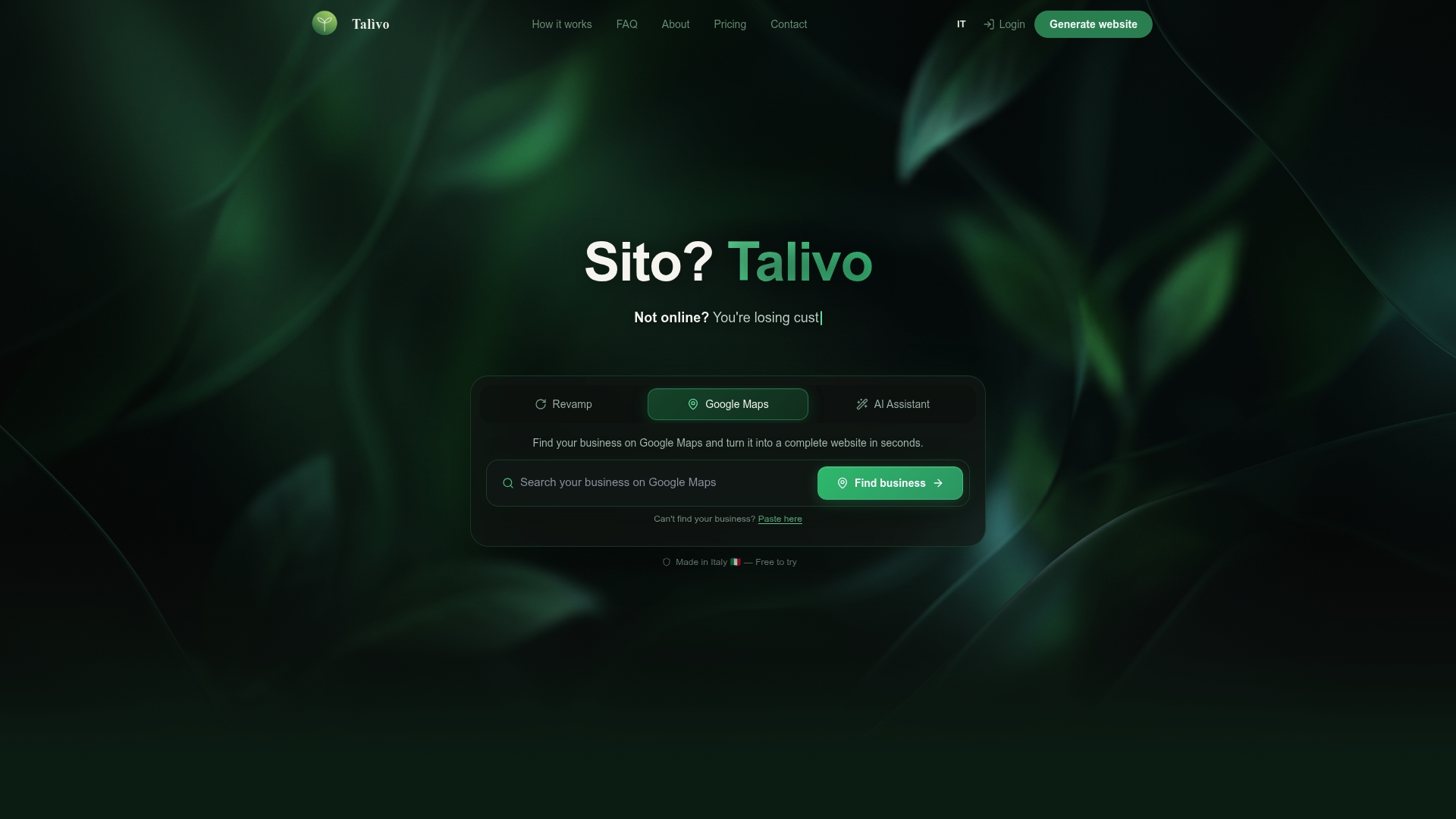
Paste an existing URL and Talivo rebuilds it with a modern design while keeping your content and images intact. If your business is listed on Google Maps but has no website, Talivo converts that listing directly into a full site, pulling in your photos, reviews, and contact details automatically. For new businesses starting from scratch, a step-by-step AI prompt guides you through describing what you do and generates a complete site from that description. The result is a live website in minutes, not days, with no agency fees and no long-term contract. For entrepreneurs who need a credible online presence quickly, Talivo offers a genuinely different approach than the developer-focused tools in this comparison. See how Talivo works to get a sense of the full process from prompt to published site.
Key Takeaways
The strongest websparks.ai alternatives in 2026 divide cleanly between AI coding agents for developers who need maintainable code and no-code AI builders for entrepreneurs who need speed.
| Point | Details |
|---|---|
| Match tool to project horizon | Choose AI coding agents for long-term codebases; no-code builders for fast launches and MVPs. |
| Access model shapes control | Open-source tools like bolt.diy allow self-hosting and full stack modification; proprietary SaaS tools trade control for convenience. |
| Pricing varies widely | Models range from free tiers to enterprise contracts; test with a real task before committing to a paid plan. |
| Integration determines practicality | Tools like GitHub Copilot and Cody by Sourcegraph work inside existing repositories; platform tools like Retool and Firebase Studio assume their own ecosystems. |
| Talivo for business websites | Talivo converts Google Maps listings or existing URLs into professional, mobile-first websites in minutes, without code or copy writing. |