
An AI website builder is a tool that generates a complete, functional website from text prompts, business details, or existing listings, without requiring any coding knowledge. The step-by-step process of building a website with AI has compressed what once took weeks of developer time into a workflow any small business owner can complete in an afternoon. Most AI website builders deliver a live, hosted site in under 15 minutes by automating infrastructure setup. That speed matters, but the quality of your inputs and the editing decisions you make afterward determine whether your site actually converts visitors into customers. Talivo is one platform built specifically around this guided, prompt-to-publish workflow for small businesses.
What do you need before starting with an AI website builder?
Preparation is the difference between a polished first draft and a generic placeholder site. Before you type a single prompt, gather four categories of inputs.
Domain name. Your domain is your business address online. Choose something short, memorable, and close to your actual business name. Many AI builders include domain registration or connect to one you already own. If you have not registered a domain yet, do it before you start so you can connect it immediately after launch.

Hosting and security. AI builders automate hosting, SSL certificates, and domain configuration, removing the biggest technical barriers for beginners. You do not need to shop for a separate hosting plan. That said, confirm your chosen tool includes SSL (the padlock icon in browsers) as a standard feature, not an add-on.
Brand assets. Collect your logo file, your primary and secondary colors (hex codes are best), and the fonts you use in other materials. If you do not have these yet, decide on them before you start. AI tools can suggest color palettes, but your brand will look more consistent if you supply the real values.
Website goals. Define what you want the site to do. Is the primary action a phone call, a form submission, an online purchase, or a booking? Write down your target audience in one sentence. This information feeds directly into your prompts and shapes every page the AI generates.
| Prerequisite | Why it matters |
|---|---|
| Domain name | Establishes your online address and brand credibility |
| Hosting and SSL | Keeps the site live, fast, and secure for visitors |
| Logo and brand colors | Gives AI accurate inputs for visual consistency |
| Website goal and audience | Guides AI content generation toward conversion |
| Core pages list | Prevents missing sections like Contact or Services |
How do you choose the right AI website builder for your business?
Small business owners typically choose among three categories of AI website builders: all-in-one platforms with built-in business features like booking and e-commerce, budget-friendly options that cover the basics at low cost, and design-focused tools that prioritize visual control. The right category depends on your priorities, not on which tool has the most features.
Use these four criteria to evaluate any platform before committing.
- Speed to first draft. How quickly does the tool generate a usable layout from your inputs? A good AI builder produces a reviewable draft in minutes, not hours.
- Ease of editing. Can you swap images, rewrite text, and move sections without touching code? Visual drag-and-drop editing is the standard expectation.
- Business integrations. Does the platform connect to Google Analytics, payment processors, booking calendars, or contact form tools? List the integrations your business actually needs before comparing options.
- Design flexibility. Can you override the AI's layout choices, or are you locked into a template? The best tools let you accept, reject, or refine each generated section individually.
Pro Tip: The quality of your conversation with the AI matters more than the tool itself. Specific, detailed prompts that define your audience, conversion goals, and tone produce better drafts and cut editing time significantly.
Talivo fits the all-in-one category for small businesses. It handles hosting, domain connection, and mobile-first design automatically, so you spend your time on content and customization rather than technical setup. You can learn more about AI in website creation to understand how these tools work under the hood before you choose.
What are the step-by-step instructions to build a website with AI?
This is the core process. Follow each step in order and resist the urge to skip ahead to publishing.
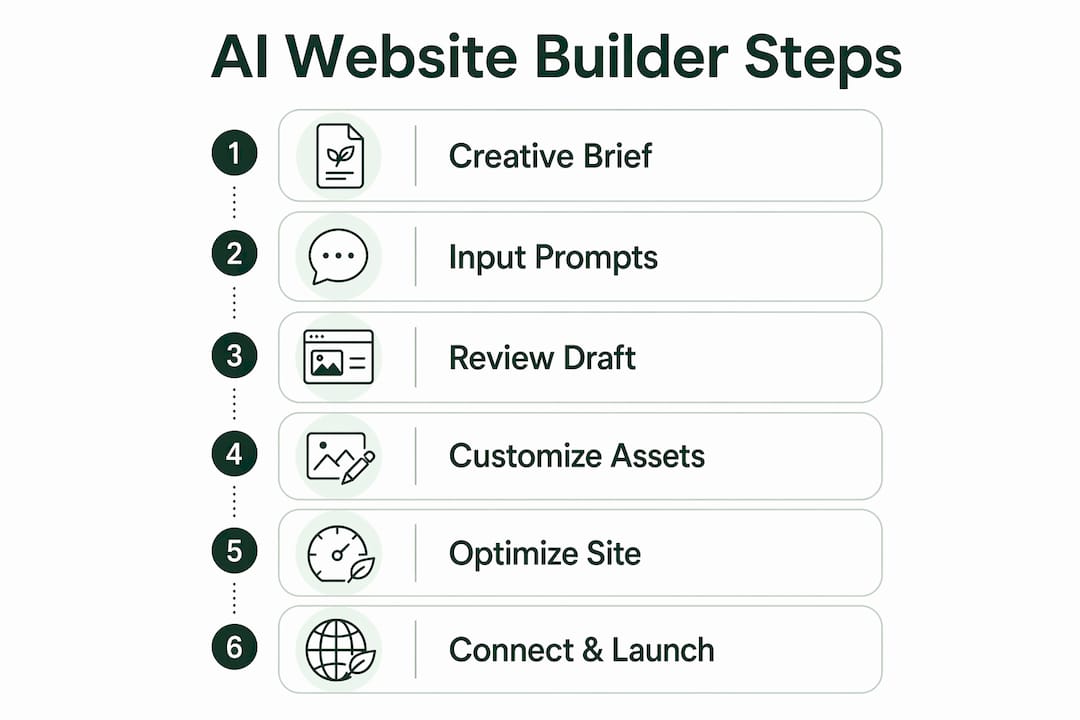
Step 1: Write a creative brief
Before you open any tool, write a one-page brief. Include your business name, what you sell, who your ideal customer is, what action you want visitors to take, and the tone you want (professional, friendly, bold, minimal). A structured creative brief reduces manual editing by guiding AI generation toward a polished first draft. Think of it as the instructions you would hand to a designer on day one.
Step 2: Input detailed prompts
Open your AI builder and enter your brief as a prompt. Do not write "make me a website for my bakery." Write "create a website for a family-owned bakery in Austin, Texas, specializing in custom wedding cakes and gluten-free options, targeting brides aged 25–40, with a warm and elegant tone, and a primary CTA to book a tasting." The more specific your input, the less you edit later.
Step 3: Review the first draft like a creative director
The AI will generate a layout with placeholder or AI-written content. Do not accept it as finished. AI builders generate a 90% complete draft that requires human refinement to achieve good conversion. Review the draft against three non-aesthetic criteria: Is the value proposition clear in the first five seconds? Is the primary CTA visible without scrolling? Do the headlines match your actual brand voice?
Step 4: Customize brand assets and content
Replace every piece of placeholder content with real, verified information. Upload your actual logo. Apply your brand colors using the exact hex codes. Swap stock photos for real images of your business, products, or team. Replacing placeholder content with verified facts is one of the most critical manual tasks after AI generation. Visitors trust specifics. Generic copy loses them.
Step 5: Optimize for SEO, accessibility, and mobile
Add a unique page title and meta description to every page. Write descriptive alt text for every image. Check that your font size is readable on a phone screen. Accessibility standards require sufficient color contrast and keyboard-navigable menus, and meeting them also improves your Google ranking. Run your site through a free mobile preview tool to catch layout breaks before they reach real visitors.
Pro Tip: Test your site on an actual phone, not just a browser preview. Tap every button and fill out every form. Mobile usability issues are the most common reason visitors leave without converting.
Step 6: Connect your domain, confirm SSL, and launch
Connect your registered domain inside the builder's settings panel. Confirm that the SSL certificate is active (the URL should show "https"). Test every link, form, and button one final time. Then publish. Your site is live.
What mistakes should you avoid when using AI website builders?
The most expensive mistake is treating AI generation as a finished product. Human intervention in copy and detail tailoring is critical to achieving good conversion rates. Here are the specific errors that cost small business owners the most.
- Accepting AI-written copy without editing. AI generates plausible text, not accurate text. Every claim, price, and service description needs a human check.
- Skipping mobile testing. A layout that looks perfect on a desktop can break completely on a phone. Always test on a real device.
- Weak or buried CTAs. Your call to action should appear above the fold on every key page. If a visitor has to scroll to find "Contact Us," you will lose them.
- Vague feedback to the AI. Telling the AI to "make it look better" produces generic changes. Precise design feedback such as "increase the whitespace between sections" or "change the button color to match the hex code #2D6A4F" yields real improvements.
- Ignoring page speed. Large, uncompressed images slow load times. Compress every image before uploading.
"Evaluating AI-generated drafts should go beyond aesthetics. Check headline clarity, CTA visibility without scrolling, and whether your value proposition lands in the first five seconds. Those are the criteria that determine whether a site actually works."
After launch, revisit your site monthly. Check Google Search Console for crawl errors, update your content when services or prices change, and test new CTAs when conversion rates drop.
Key takeaways
An AI website builder step by step process works best when you treat it as guided creative direction, not a one-click shortcut. Detailed inputs, critical review, and human editing are what separate a site that converts from one that just exists.
| Point | Details |
|---|---|
| Prepare before you prompt | Gather your domain, brand assets, and website goals before opening any AI tool. |
| Detailed prompts save editing time | Specific inputs about audience, tone, and goals produce better first drafts. |
| Review drafts for conversion, not just looks | Check CTA visibility, headline clarity, and value proposition before customizing. |
| Replace all placeholder content | Swap AI-generated copy and stock images with real, verified business information. |
| Test mobile and accessibility before launch | Run the site on a real phone and confirm SSL, alt text, and color contrast are correct. |
Why I think most people misuse AI website builders
Most small business owners approach AI website builders the way they approach a vending machine. They put in a coin, press a button, and expect a finished product to drop out. That mindset produces forgettable websites.
The builders I have seen work best are the ones where the owner acts like a creative director. They write a real brief. They push back on the AI's first draft. They rewrite the headline three times until it sounds like them, not like a template. The tool handles the technical scaffolding. The owner handles the brand.
The other mistake I see constantly is treating the launch as the finish line. A website is not a brochure you print once. It is a living sales tool. The businesses that get the most from AI builders are the ones that check their analytics, update their content, and keep refining their CTAs after the site goes live.
Speed is the genuine advantage of AI website creation. You can go from idea to live site in a single afternoon. But speed only helps if you use the time you save to make the content sharper, the design more specific, and the user experience more intentional. The AI gives you a head start. What you do with that head start is entirely up to you.
— jacopo
How Talivo takes you from prompt to live website
Building a professional website does not require a developer, a designer, or weeks of back-and-forth. Talivo handles the entire process in one place, from AI-driven site generation to hosting, domain connection, and mobile-first design.
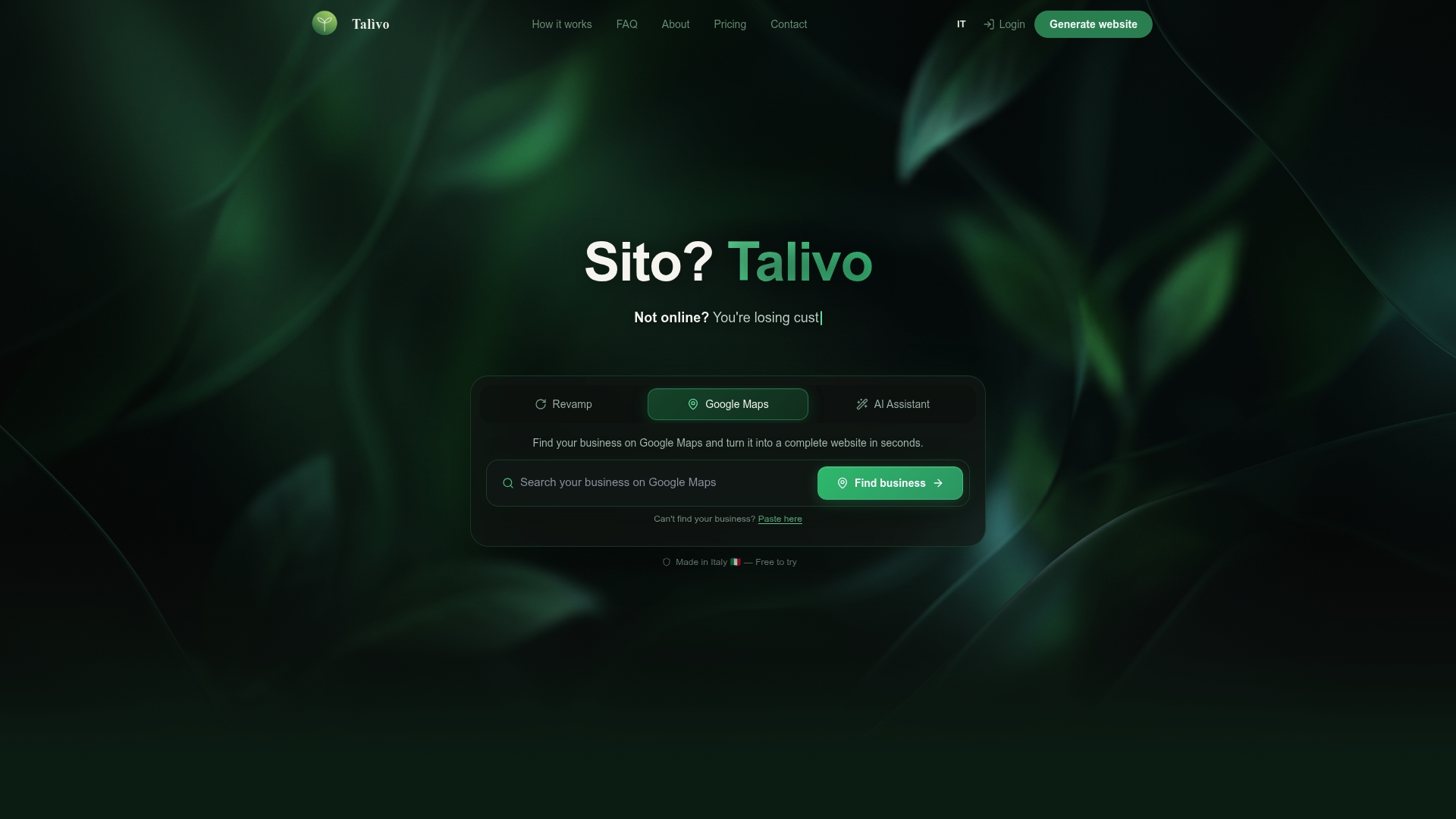
If your business is already listed on Google Maps, Talivo can convert that listing directly into a full website, pulling in your photos, reviews, and contact details automatically. If you have an existing site that looks outdated, paste the URL and Talivo redesigns it while keeping your content intact. New businesses can describe their services in plain language and get a complete site in minutes. See how Talivo works to understand the full workflow, or go directly to Talivo to start building today.
FAQ
How long does it take to build a website with an AI builder?
Most AI website builders generate a functional, hosted site in under 15 minutes. Adding your own content, images, and customizations typically takes a few additional hours.
Do I need a domain name before using an AI website builder?
You do not need one to start, but you should register your domain before launch. Most AI builders let you connect an existing domain or purchase one directly through the platform.
What makes a good prompt for an AI website builder?
A good prompt names your business, describes your ideal customer, states the primary action you want visitors to take, and specifies your preferred tone. Vague prompts produce generic results.
Can AI website builders handle SEO automatically?
AI builders generate basic SEO structure, including page titles and meta fields, but you must write unique descriptions and add accurate alt text manually for best results.
Is Talivo suitable for businesses with no website at all?
Yes. Talivo is built for businesses starting from scratch, including those with only a Google Maps listing. It converts that listing into a full website without requiring you to write copy from the beginning.