
Your local website has one job: turn nearby searchers into calls, bookings, and walk-ins. Before anything else, run this five-minute audit against your live site.
Quick-audit checklist — tick each one off:
- Phone number visible in the header, linked as a
tel:tap-to-call - Homepage has one clear primary CTA above the fold (Call, Book, or Get a Quote)
- NAP (name, address, phone) matches your Google Business Profile exactly
- Business hours displayed and current, including holiday hours
- SSL active (padlock in browser bar)
- ] Page loads in under 3 seconds on mobile (test at [PageSpeed Insights)
- At least one dedicated service page per core offering
- At least one location page targeting your city + service
- LocalBusiness JSON-LD schema present in the site code
- Recent reviews displayed on the homepage or a service page
- Google map embed on the contact page
- GA4 or equivalent analytics installed and tracking
If you checked fewer than eight of those, the sections below tell you exactly what to fix and in what order.
Pro Tip: Run this audit on your phone, not your desktop. Most of your customers are on mobile, and a site that looks fine on a laptop can be nearly unusable on a 4G connection.
Table of Contents
- What are the local business website best practices that actually matter?
- How should your site look and work on a phone?
- How do service pages and local keywords help you rank?
- How do reviews and photos build trust with local customers?
- What page speed fixes make the biggest difference?
- Which conversion tools should every local site have?
- What maintenance and security does a local site need?
- What should you fix in the first 30, 60, and 90 days?
- What does 2026 research say about local websites?
- Key Takeaways
- The thing most local site audits get wrong
- Talivo gets you to a working local site faster
- Useful tools and sources to implement this checklist
What are the local business website best practices that actually matter?
The baseline every local site must clear comes down to three things: your contact information is impossible to miss, your site loads fast, and Google can read what you do and where you do it. Everything else builds on those three.
NAP consistency and Google Business Profile alignment
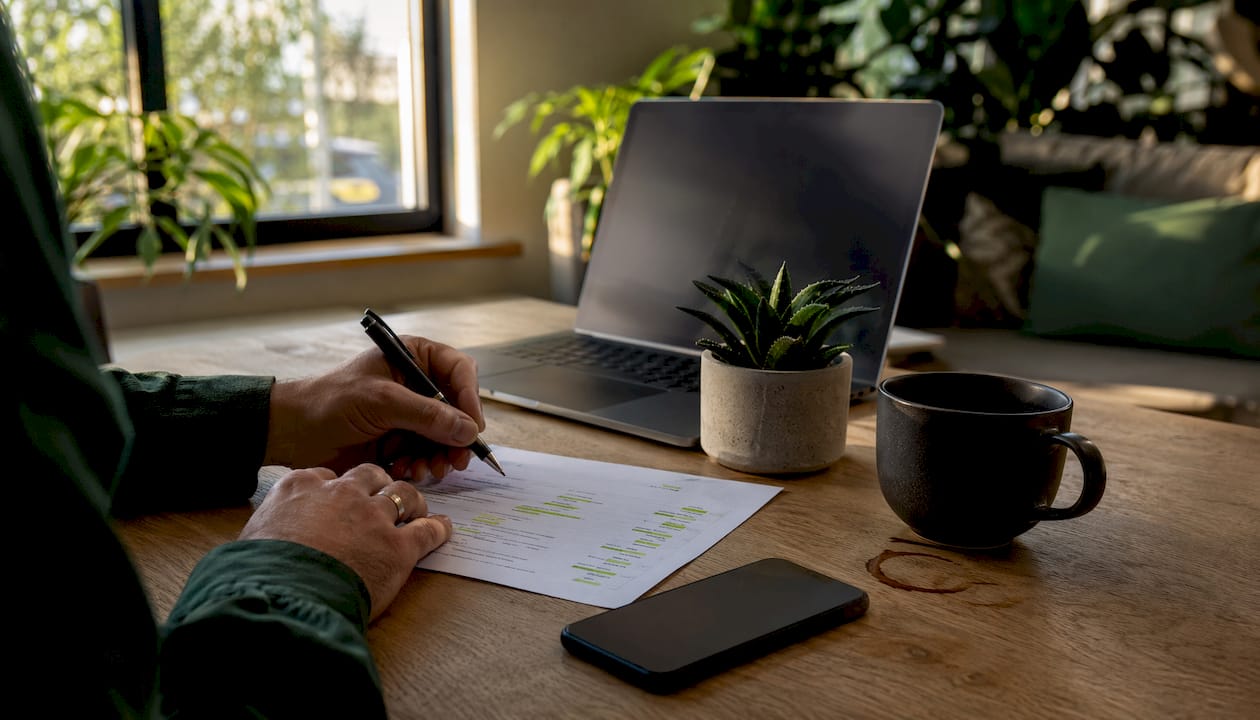
Your name, address, and phone number need to appear in three places: the header (or a persistent utility bar), the footer, and the contact page. The exact format matters. If your Google Business Profile says "Suite 4B," your website footer needs to say "Suite 4B" too, not "#4B" or "Ste. 4B." Search engines cross-check NAP data against your GBP entry, and any mismatch creates what's called entity ambiguity, which quietly suppresses your map-pack ranking.
Business hours are just as critical. Display them on the homepage, the contact page, and your GBP, and keep all three synchronized. Holiday hours are where most businesses slip up. Update them in GBP and on the site at the same time, every time.
Choosing your primary action: Call, Book, or Visit
The right CTA depends on your business model. Service businesses (plumbers, electricians, HVAC) convert best with a prominent phone number and a "Call now" button. Appointment-based businesses (salons, dentists, consultants) should lead with a booking widget. Retail storefronts benefit most from a "Get directions" or "Visit us" CTA paired with hours and a map. Pick one primary action and put it above the fold on every key page. Secondary actions can live lower on the page.
| Business type | Primary CTA | Secondary CTA |
|---|---|---|
| Service (plumber, HVAC) | Call now (tel: link) | Get a free estimate |
| Appointment-based (salon, clinic) | Book online | Call us |
| Retail storefront | Get directions | Shop online |
| Restaurant | Order online / Reserve | View menu |
Pro Tip: A visible phone number alone is not enough. A functional tel: link that opens the phone dialer directly is what converts mobile visitors — copying a number is friction, tapping a button is not.
How should your site look and work on a phone?
According to Google, 53% of mobile visitors will abandon a page that takes longer than 3 seconds to load. That statistic alone should reorder your entire to-do list. But speed is only part of the mobile story. A fast site that's hard to tap or read still loses customers.
Mobile-first design rules
Readable body text starts at 16px minimum. Buttons need a tap target of at least 48x48 pixels with enough spacing between them that a thumb doesn't hit two at once. Navigation should be a simple hamburger or bottom bar, not a multi-level dropdown that requires precise tapping. Keep the above-the-fold area clean: your business name, what you do, where you do it, and one CTA. A visitor should understand what you do, where you do it, and why to choose you within five seconds of landing.

Sliders and auto-playing carousels are the single most common design mistake on local business sites. They slow load times, they distract from the CTA, and they almost never improve conversions. Replace a hero slider with a single strong image, your headline, and a button.
Navigation best practices
- Put your most important pages in the main nav: Home, Services (or individual service links), About, and Contact.
- Never bury the phone number or contact link more than one tap away.
- Use a sticky header on mobile so the phone number and primary CTA stay visible as users scroll.
- Label navigation items with plain language your customers use, not internal jargon.
- Test your nav on at least two different Android and iOS devices before launch.
Pro Tip: Check your mobile navigation by handing your phone to someone who has never seen your site and asking them to find your phone number. If they take more than 10 seconds, your nav needs work.
Quick mobile usability test:
- Load the site on a mid-range Android phone on a 4G connection (not Wi-Fi)
- Confirm the phone number is tappable in the header
- Try to complete the primary CTA without pinching or zooming
- Check that no text is cut off horizontally
- Verify forms are fillable with the on-screen keyboard open
How do service pages and local keywords help you rank?
The most common local SEO mistake is trying to rank one homepage for every service in every neighborhood. It doesn't work. One service, one page is the rule that actually moves rankings.
Service page structure
Each service page should target a single service plus your city or service area. A plumber in Austin shouldn't have one page called "Services." They should have separate pages for "Water Heater Repair in Austin," "Drain Cleaning in Austin," and "Emergency Plumbing in Austin." Each page gets its own title tag, meta description, H1, and content. This structure is how you dominate local city keywords before chasing anything broader.
Service page content outline:
- H1: [Service] in [City] (e.g., "Roof Repair in Denver, CO")
- Opening paragraph: what the service is, who it's for, and your service area
- H2: Why choose [Your Business Name] for [Service]
- H2: What to expect (process, timeline, pricing range if possible)
- H2: Frequently asked questions (5–10 questions your customers actually ask)
- Trust elements: license numbers, insurance, years in business, certifications
- Reviews specific to that service
- CTA: Call, book, or get a quote
Target 800–1,200 words for a local service page. Location pages (city or neighborhood landing pages) work best at 600–1,000 words with unique content for each location, not the same text with the city name swapped.
Title and meta best practices
| Element | Formula | Example |
|---|---|---|
| Title tag | [Service] in [City] | [Brand] |
| Meta description | [Service] in [City]. [Benefit]. Call [phone] or book online. | Roof repair in Denver. Fast, licensed, insured. Call 303-555-0100 or book online. |
| H1 | [Service] in [City, State] | Roof Repair in Denver, CO |
Keep title tags under 60 characters. Meta descriptions under 160 characters. Both should include a local keyword and a reason to click.
LocalBusiness schema
Add LocalBusiness JSON-LD schema to every page of your site, at minimum in the site-wide footer or header. Here's an annotated example:
{
  "@context": "https://schema.org",
  "@type": "LocalBusiness",
  "name": "Peak Roofing Co.",
  "address": {
    "@type": "PostalAddress",
    "streetAddress": "123 Main St",
    "addressLocality": "Denver",
    "addressRegion": "CO",
    "postalCode": "80201"
  },
  "telephone": "+13035550100",
  "openingHours": "Mo-Fr 08:00-18:00",
  "url": "https://www.peakroofing.com"
}
Validate it with Google's Rich Results Test after adding it. Schema is one of the clearest signals you can send to both search engines and AI Overviews about what your business is and where it operates.
Pro Tip: Use a more specific @type when it applies — Plumber, RoofingContractor, HairSalon — rather than the generic LocalBusiness. The more specific the type, the more useful the signal.
How do reviews and photos build trust with local customers?
Reviews are no longer just a trust signal for humans. Review recency and a steady velocity now carry more weight in local rankings than a large but stale total. A business with 80 reviews earning a few per week outranks one sitting on 200 with nothing recent.
Building a review system
The most effective approach is a simple, automated request sent the day after a job is completed. A text message with a direct link to your Google review form converts better than an email. Keep the ask short: "Thanks for choosing us. If you have a minute, a quick review helps a lot: [link]." Reply to every review publicly, because the response is itself a signal that your business is active.
When you ask for reviews, include the service and location in your request message. "We hope your roof repair in Denver went smoothly" primes the customer to mention those details in their review, which strengthens local relevance signals.
Where to display reviews on your site:
- Homepage: 3–5 star ratings with short quotes above the fold or just below the hero
- Service pages: reviews specific to that service
- Location pages: reviews from customers in that area
- Contact page: a reassurance quote near the form or phone number
Photo strategy
Real photos of your work outperform stock images on every metric that matters: trust, time on page, and conversion. Name your image files descriptively before uploading ("denver-roof-repair-before.jpg," not "IMG_4821.jpg"). Write alt text that includes the service and location: "roof repair completed in Denver, CO." Before-and-after galleries work especially well for service businesses because they show tangible outcomes.
Pro Tip: Ask customers for a photo of the finished work when you send the review request. One real before-and-after image is worth more than ten stock photos.
What page speed fixes make the biggest difference?
53% of mobile visitors abandon a page that takes longer than 3 seconds to load.
That number is the business case for every speed fix below. A slow site doesn't just rank lower; it loses customers before they ever see your CTA.
Core Web Vitals targets
- LCP (Largest Contentful Paint): under 2.5 seconds
- INP (Interaction to Next Paint): under 200 milliseconds
- CLS (Cumulative Layout Shift): under 0.1
Run PageSpeed Insights on your homepage and your top service page. Read the mobile score first, not desktop. The "Opportunities" section tells you exactly what to fix and estimates the time savings for each fix.
Prioritized speed fix list
- Compress and convert images. Switch to WebP format. Use tools like Squoosh or ShortPixel. Unoptimized images are the single most common cause of slow local business sites. For a deeper look at image optimization techniques, the process is more straightforward than most developers suggest.
- Set caching headers. Static assets (images, CSS, JS) should be cached for at least 30 days. Your hosting panel or a caching plugin handles this.
- Remove unused scripts and plugins. Every third-party script (chat widgets, social feeds, old analytics tags) adds load time. Audit and cut anything you don't actively use.
- Use a CDN. Cloudflare's free tier is enough for most local business sites. It reduces latency for visitors across your service area.
- Choose fast hosting. Shared hosting on an overloaded server is a common bottleneck. SiteGround, WP Engine, or Kinsta all perform meaningfully better than budget shared hosts for WordPress sites.
Tools to run your audit:
- PageSpeed Insights / Lighthouse — start here; gives mobile and desktop scores with specific fixes
- GTmetrix — useful for waterfall view to see which assets load slowest
- Chrome DevTools — for diagnosing layout shift and render-blocking resources
Which conversion tools should every local site have?
The gap between a site that gets traffic and one that generates revenue usually comes down to three elements: a tap-to-call link, a booking widget or contact form, and basic tracking to know what's working.
Essential conversion elements
- Tap-to-call: Every phone number on the site should be a
tel:link. Test it on your own phone. If tapping the number opens the dialer, it's working. - Booking widget: For appointment-based businesses, an online booking tool embedded above the fold removes the friction of calling during business hours.
- Contact form: Keep it to four fields maximum: name, phone, email, and message. Longer forms reduce completions.
- Click-to-call in the sticky header: On mobile, the header should stay visible as users scroll, with the phone number tappable at all times.
Setting up tracking
- Install GA4 (Google Analytics 4) and verify data is flowing in the Realtime report.
- Set up a GA4 conversion event for form submissions (trigger on the thank-you page URL).
- Add call tracking through a service like CallRail or WhatConverts to attribute phone calls to specific pages or campaigns.
- Connect Google Search Console to your GA4 property to see which search queries drive traffic.
- Check your conversion events weekly for the first month to catch any tracking gaps.
Lightweight KPI dashboard
| Metric | Where to find it | Review frequency |
|---|---|---|
| Phone calls from site | Call tracking tool | Weekly |
| Form submissions | GA4 conversions | Weekly |
| Organic search clicks | Google Search Console | Weekly |
| Top landing pages | GA4 engagement report | Monthly |
| Core Web Vitals | Search Console / PageSpeed | Monthly |
| Average page load time | PageSpeed Insights | Monthly |
What maintenance and security does a local site need?
A site that goes down, gets hacked, or breaks after an update costs you more than the time to fix it. It costs you the customers who landed on a broken page and left.
Routine maintenance checklist
- Daily automated backups stored off-server (your host's backup plus a plugin like UpdraftPlus)
- Weekly plugin and theme updates, tested on a staging environment before pushing live
- Monthly review of Google Search Console for crawl errors or manual actions
- Quarterly full content audit: check that hours, prices, and service descriptions are current
Security beyond SSL
SSL is the floor, not the ceiling. Beyond the padlock:
- Use a web application firewall (WAF). Cloudflare's free tier includes basic WAF protection. Wordfence is a solid WordPress-specific option.
- Enable two-factor authentication on every admin account.
- Use a password manager (1Password or Bitwarden) and generate unique passwords for each login.
- Assign least-privilege user roles: a content editor doesn't need admin access.
- Vet plugins before installing. Check the last update date and active install count. An abandoned plugin is a security liability.
Accessibility quick wins
- Body text at 16px minimum; heading contrast ratio of at least 4.5:1 against the background
- Alt text on every image (descriptive, not keyword-stuffed)
- All forms and buttons reachable and operable via keyboard alone
- No content that relies solely on color to convey meaning
Privacy basics for U.S. sites
Add a simple privacy policy that describes what data you collect (contact forms, analytics cookies) and how you use it. Place a cookie notice on the first visit if you use analytics or advertising cookies. Neither needs to be complicated; a one-page policy and a simple banner are sufficient for most small local businesses.
Pro Tip: Use a password manager and set every site editor to the lowest role that lets them do their job. Most site compromises come from weak passwords or over-privileged accounts, not sophisticated attacks.
What should you fix in the first 30, 60, and 90 days?
Trying to fix everything at once is how nothing gets fixed. This timeline gives you a sequence that builds on itself.
30-day quick wins
- Add a tap-to-call
tel:link to the header phone number - Place one clear CTA above the fold on the homepage
- Confirm SSL is active and the site redirects HTTP to HTTPS
- Embed a Google map on the contact page
- Verify NAP matches GBP exactly on every page where it appears
- Run PageSpeed Insights and fix the top two image issues
- Install GA4 and confirm data is flowing
60-day priorities
- Create a dedicated page for each core service (one service, one page)
- Build or improve at least one location page with unique local content
- Add LocalBusiness JSON-LD schema and validate it
- Set up an automated review request (text or email, sent the day after job completion)
- Add a booking widget or streamlined contact form if you don't have one
90-day optimization
- Run a full Core Web Vitals audit and address any "Poor" scores
- Add before-and-after photos to at least two service pages
- Begin local link-building outreach (chamber of commerce, local directories, supplier pages)
- Review GA4 data: which pages get traffic but no conversions? Fix those first.
- Publish one locally relevant blog post or FAQ page targeting a question your customers ask
| Phase | Key actions | Expected impact |
|---|---|---|
| 30 days | Tap-to-call, CTA, SSL, map, NAP audit, GA4 | Immediate conversion lift, baseline tracking |
| 60 days | Service pages, schema, location pages, review automation | Local ranking improvement, more qualified traffic |
| 90 days | Speed tuning, photos, local links, content | Sustained ranking gains, lower bounce rate |
Priority checklist for your ticketing system:
- Tap-to-call in header
- Homepage CTA above fold
- SSL + HTTPS redirect
- NAP matches GBP
- GA4 installed
- One service page per core offering
- LocalBusiness schema validated
- Review request automation live
What does 2026 research say about local websites?
The biggest structural shift in local search right now is the rise of AI Overviews. They appear above the map pack on most local queries, and they pull their answers from the same signals you're already managing: your GBP, your reviews, and your structured data.
Your website's role has changed. It's no longer just a destination for clicks. It's a trust anchor for your Google Business Profile. When your site's NAP, services, and hours match your GBP perfectly, Google treats your business as a verified, coherent entity. Any mismatch creates a trust gap that suppresses both map-pack and AI Overview visibility.
Research-backed priorities for 2026:
- GBP completeness and site alignment are the highest-leverage inputs for map-pack and AI Overview visibility
- 53% mobile abandonment at 3 seconds makes page speed a direct revenue issue, not a technical nicety
- Review velocity (new reviews per week) now outweighs total review count in local ranking signals
- Thin location pages with only the city name swapped are treated as doorway pages and can be penalized; each location page needs genuinely unique content
- Structured data increases eligibility for rich results and AI citation, making schema one of the highest-ROI technical investments a local site can make
The businesses that will dominate local search in 2026 aren't necessarily the ones with the biggest budgets. They're the ones that keep their GBP current, earn reviews consistently, and give Google a clean, structured site to read.
Key Takeaways
A local business website succeeds when it combines visible contact information, fast mobile load times, structured local content, and a consistent review flow that reinforces your Google Business Profile.
| Point | Details |
|---|---|
| Contact visibility first | Phone number as a tap-to-call link in the header is the single highest-impact conversion fix. |
| Speed is a revenue issue | 53% of mobile visitors abandon pages that take longer than 3 seconds to load; fix images and caching before anything else. |
| One service, one page | Dedicated service pages targeting city + service keywords outrank a single generic services page. |
| Schema + GBP alignment | LocalBusiness JSON-LD and exact NAP consistency across site and GBP are the foundation for map-pack and AI Overview visibility. |
| Talivo as a fast path | Talivo converts a Google Maps listing or existing site into a mobile-first, schema-ready website in minutes, covering the core checklist without a rebuild from scratch. |
The thing most local site audits get wrong
Most local website advice focuses on what to add. Add schema. Add reviews. Add a blog. That's not wrong, but it misses the more common problem: the site already has most of these elements, just implemented badly enough that they don't work.
The two things that consistently surprise me when auditing local sites: first, the phone number is visible but not linked as a tel: link, so mobile visitors have to copy and paste it. That one fix alone, taking about 30 seconds to implement, can measurably increase calls. Second, the business has 150 Google reviews but displays none of them on the site. The social proof exists; it's just invisible to anyone who doesn't already know to look for it on Google.
If you only have time for one thing this week, swap any hero slider for a single image, your headline, and a tap-to-call button. Then run PageSpeed Insights and fix the top image issue it flags. Those two moves address the most common reasons local sites lose customers before they ever read a word of your copy.
Talivo gets you to a working local site faster
Building a local site that checks every box on this list takes time, and most small business owners don't have a spare week to spend on it. Talivo is built for exactly this situation: paste your existing URL or your Google Maps listing, and Talivo generates a modern, mobile-first website that carries over your photos, reviews, and contact information automatically.
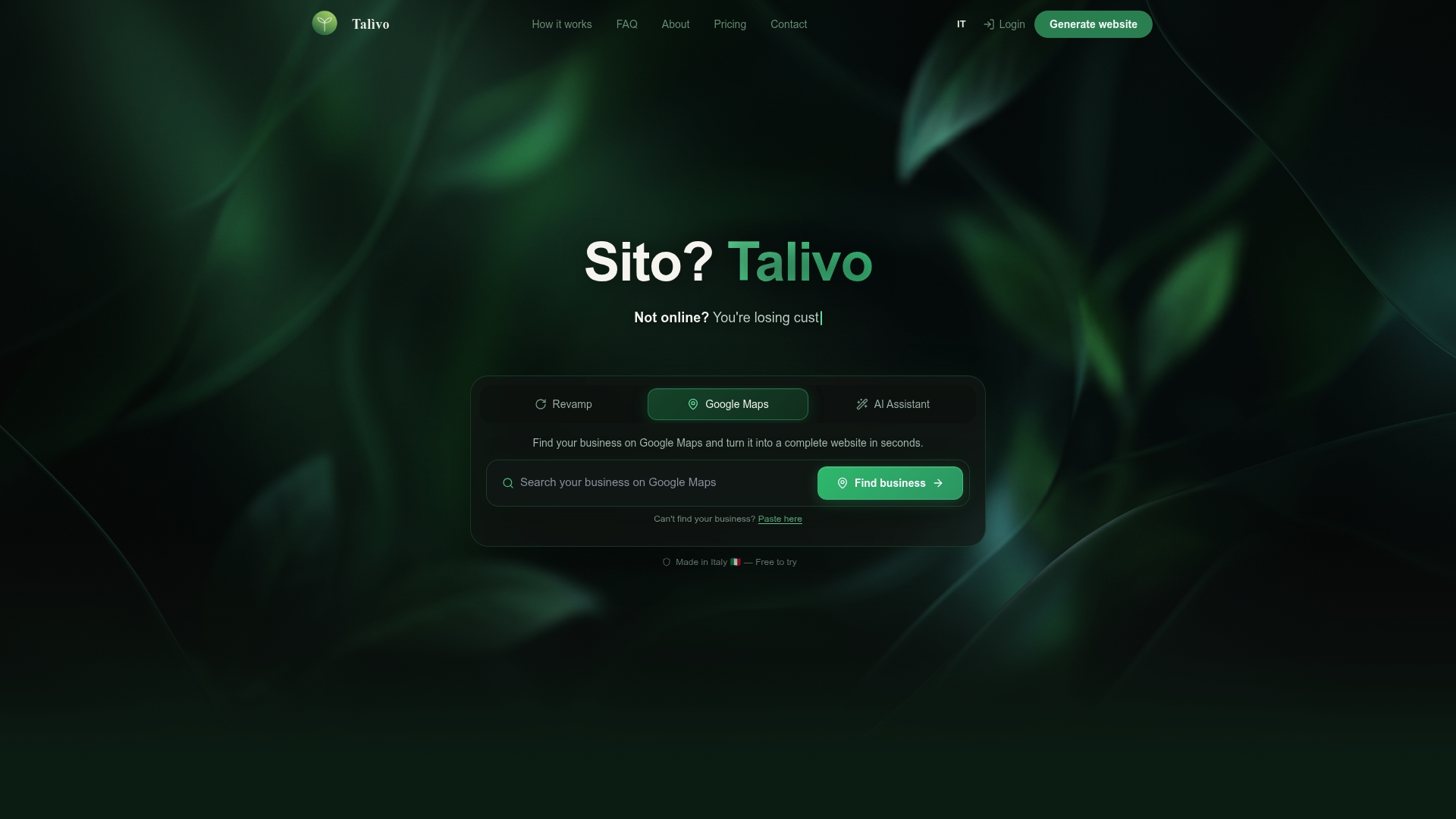
The result covers the fundamentals that matter most: tap-to-call in the header, service pages structured for local search, LocalBusiness schema, and a layout that passes Core Web Vitals on mobile. New businesses can start from a description of what they do and get a complete site without writing a single line of copy. Before you sign with any web vendor, ask these four questions: Who owns the domain? Is there a PageSpeed score guarantee? Can I see a mobile mockup before we start? Does the package include individual service pages?
If the answers aren't clear, that's your signal. See how Talivo works and decide whether a faster path fits your timeline.
Useful tools and sources to implement this checklist
Speed and performance:
- PageSpeed Insights — run mobile audits here first; check the "Opportunities" tab
- Google Lighthouse (built into Chrome DevTools) — detailed Core Web Vitals breakdown
- GTmetrix — waterfall view for diagnosing slow-loading assets
- Squoosh (squoosh.app) — free in-browser image compression and WebP conversion
Schema and structured data:
- schema.org/LocalBusiness — the canonical reference for markup types
- Google Rich Results Test (search.google.com/test/rich-results) — validate your JSON-LD before going live
Local SEO and GBP:
- Google Business Profile dashboard (business.google.com) — keep hours, photos, and categories current
- Google Search Console — monitor indexing, search queries, and Core Web Vitals at scale
- Local SEO checklist for 2026 — step-by-step GBP and on-page requirements
Booking and conversion:
- Online booking software guide — comparison of booking tools for small businesses
- CallRail or WhatConverts — call tracking tied to specific pages and campaigns
Templates to copy:
- Service page outline: H1 (Service + City), intro, why choose us, process, FAQ, trust signals, CTA
- Review request script: "Thanks for choosing [Business]. A quick Google review helps us a lot: [link]"
- 30-day ticket list: tap-to-call, homepage CTA, SSL check, map embed, NAP audit, GA4 install, PageSpeed top fix
| Tool | Purpose | Cost |
|---|---|---|
| PageSpeed Insights | Mobile speed and Core Web Vitals audit | Free |
| Google Rich Results Test | Schema validation | Free |
| Google Search Console | Indexing, queries, and technical errors | Free |
| GTmetrix | Waterfall performance analysis | Free / paid |
| Squoosh | Image compression and WebP conversion | Free |
| CallRail | Phone call tracking and attribution | Paid |