
Business category web design is the practice of aligning your website's structure, features, and content to your specific business type and online purpose. Most small business owners treat web design as a visual exercise, but the category choice is what drives real results. Only 23% of small businesses with a website achieve measurable ROI, and the leading cause is choosing a website category that does not match their business model. Getting this right from the start saves money, attracts the right visitors, and turns your site into a working asset rather than a digital brochure.
What is business category web design and why does it matter?
Business category web design is the strategic process of classifying your website by its primary function and then building every design decision around that function. The industry term for this concept is website classification, and it sits at the intersection of user experience design, SEO architecture, and business strategy. Understanding both terms helps you communicate clearly with designers and make smarter decisions about your site.
A website built without a clear category is like a store with no signage. Visitors cannot tell what you sell, search engines cannot rank you accurately, and your conversion rate suffers. Website category misalignment results in poor SEO rankings, lower conversion rates, and diminished user trust. That is a direct business cost, not just a design problem.
The category you choose also shapes every technical decision that follows, from your content management system to your payment processing setup. Small business owners who understand this upfront spend less time and money on redesigns later. A modern web design approach for small businesses always starts with category clarity before touching colors or fonts.
What are the main types of business category web design?
Common website categories include e-commerce, service-based, corporate, portfolio, blog, directory, membership, and landing pages. Each one serves a distinct set of user and business goals. Knowing which category fits your business model is the first real decision in web design.
Here is a breakdown of the most relevant types for small business owners:
- E-commerce: Built to sell physical or digital products online. Requires product pages, a shopping cart, and payment processing. Best for retailers, makers, and product-based brands.
- Service-based storefront: Designed to generate leads or bookings for a service business. Features include contact forms, service descriptions, and testimonials. Ideal for contractors, consultants, and local service providers.
- Portfolio: Showcases past work to attract clients. Common in creative fields like photography, graphic design, and architecture. The goal is credibility, not direct sales.
- Corporate informational: Communicates company identity, values, and offerings to stakeholders. Typically used by mid-size to large companies but also relevant for B2B small businesses.
- Blog or content site: Drives traffic through published articles and builds authority over time. Often combined with another category to support SEO.
- Directory: Lists multiple businesses or services in one place. Requires robust search and filtering features.
- Membership: Restricts content or community access to paying or registered members. Requires login systems and subscription management.
- Hybrid: Combines features from multiple categories. Most modern websites are hybrids, blending e-commerce with blog content or corporate pages with lead capture forms.
Small businesses often choose a storefront or portfolio website as a budget-friendly and effective starting point. These two categories balance professional presence with manageable technical requirements.
What criteria define business website classification in 2026?

Business website classification relies on five main criteria: primary goal, audience type, industry vertical, technical implementation, and revenue model. Each criterion shapes both the design and the SEO strategy of your site. Skipping even one leads to a misaligned result.
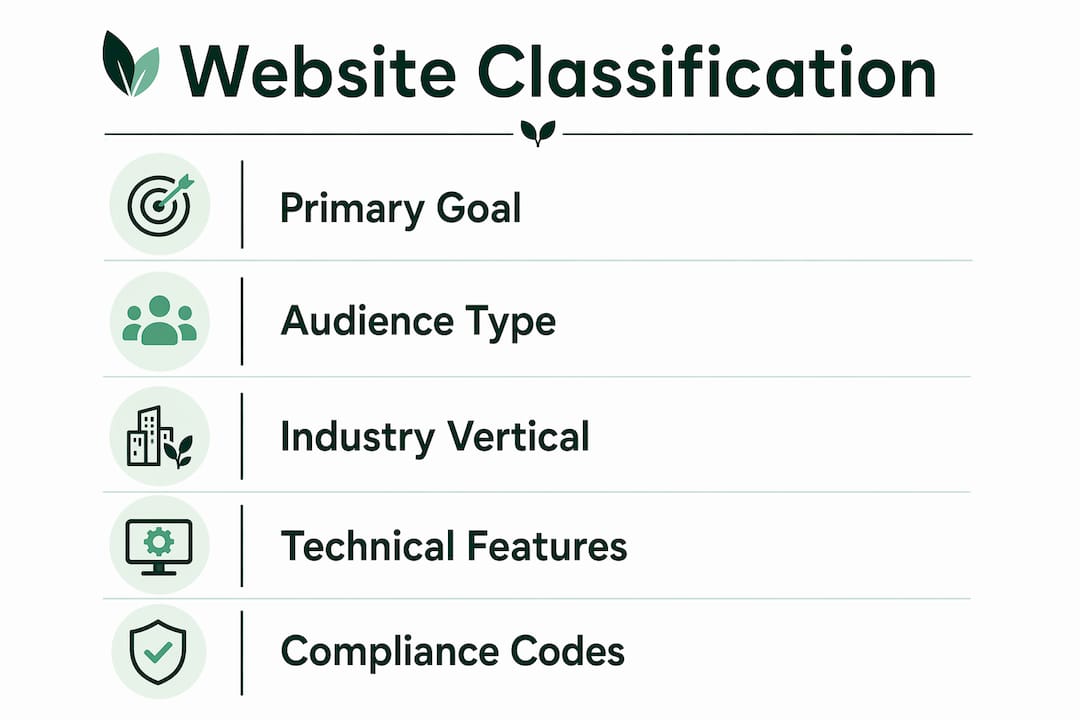
| Criterion | What it means | Example |
|---|---|---|
| Primary goal | The main action you want visitors to take | Purchase, book, sign up, or read |
| Audience type | B2B (business buyers) or B2C (individual consumers) | A law firm targets B2B; a bakery targets B2C |
| Industry vertical | The specific sector your business operates in | Healthcare, retail, hospitality, tech |
| Technical implementation | Static (fixed content) or dynamic (interactive, database-driven) | A brochure site vs. a booking platform |
| Revenue model | How your site generates income | Direct sales, lead generation, subscriptions |
NAICS and SIC codes influence how businesses are officially classified and must align with your website category for consistent representation across directories and search engines. If your NAICS code says you are a landscaping company but your website looks like a software firm, you create confusion for both users and algorithms.
Dynamic websites with interactive elements tend to provide better user engagement but require more technical investment. A static site works well for a local florist; a dynamic site is necessary for a restaurant with online reservations.
Pro Tip: Before you hire a designer or pick a template, write one sentence that completes this prompt: "My website exists to help [audience] do [action]." That sentence is your classification in plain English.
A website's primary conversion goal, whether that is a purchase, a signup, or a lead capture form, is the single most important factor in choosing your category. Every other design decision should serve that goal.
Why is choosing the correct business category web design essential?
Choosing the wrong website category is one of the most expensive mistakes a small business owner can make. 71% of small businesses have a website, but the majority fail to achieve measurable ROI because their site category does not match their actual business model. An e-commerce template applied to a service business, for example, confuses visitors who expect to book an appointment but find a shopping cart instead.
"Proper classification leads to improved SEO targeting, ad relevance, and appearance in third-party databases. Misclassification causes poor user experience and low conversions."
The consequences of a mismatched category show up fast:
- Poor SEO performance: Search engines rank pages based on content signals that match user intent. A service site built on an e-commerce framework sends mixed signals and ranks for the wrong terms.
- Low conversion rates: Visitors who land on a site that does not match their expectations leave quickly. A high bounce rate tells search engines your site is not relevant.
- Weak user trust: A portfolio site that tries to sell products directly, or a blog that buries its contact information, creates friction that erodes credibility.
- Wasted ad spend: Paid traffic sent to a misclassified site converts poorly, which raises your cost per acquisition.
Proper site structure and page categorization help clarify purpose to both users and search engines. Fixing common outdated website design mistakes often starts with correcting the category before touching the visual design.
How to choose the right business category web design for your company
Choosing the right category is a four-step process that any small business owner can complete without a design background.
-
Define your primary website goal. Ask yourself what one action you want every visitor to take. If the answer is "buy a product," you need an e-commerce site. If the answer is "call me for a quote," you need a service-based storefront. One goal, one category.
-
Identify your audience type and industry. B2B buyers expect detailed information, case studies, and professional credibility signals. B2C consumers respond to visual appeal, reviews, and easy navigation. Your industry vertical also narrows your options. A law firm does not need a product catalog; a clothing brand does not need a white paper library.
-
Assess your technical capacity and required features. Be honest about what you can maintain. A membership site with gated content requires ongoing technical management. A static portfolio site does not. Match your category to the resources you actually have, not the resources you wish you had. Reviewing website redesign approaches for small businesses can help you understand what each category demands in practice.
-
Plan for hybrid needs from the start. If your business sells products and publishes educational content, design for both from day one. Trying to bolt a blog onto an e-commerce site after launch is far more expensive than planning the hybrid structure upfront.
Pro Tip: Revisit your website category every 12 months. Business models shift, and a category that fit your startup phase may not fit your growth phase. A quick audit of your top-performing pages often reveals whether your site has drifted from its original classification.
The importance of business web design comes down to alignment. Every font, image, and call-to-action button should serve the category you chose. When they do, your site works harder without requiring more traffic.
Key Takeaways
Business category web design determines whether your website attracts the right visitors, converts them effectively, and delivers measurable ROI for your small business.
| Point | Details |
|---|---|
| Category drives ROI | Only 23% of small businesses achieve measurable ROI, mostly due to wrong category selection. |
| Five classification criteria | Primary goal, audience type, industry vertical, technical implementation, and revenue model define your category. |
| Misalignment is costly | Wrong category choice causes poor SEO, low conversions, and weak user trust. |
| Storefront or portfolio first | Small businesses with limited budgets get the best results starting with a storefront or portfolio site. |
| Hybrid planning saves money | Designing for hybrid needs from the start costs far less than retrofitting features later. |
The part most small business owners get wrong
Most entrepreneurs treat website category as a template choice. They browse a design gallery, pick something that looks good, and assume the category will sort itself out. It does not.
I have seen service businesses lose months of SEO progress because they launched on an e-commerce framework. The product schema, the cart pages, the category filters — all of it told search engines the site sold physical goods. When no products appeared in search results, rankings dropped and stayed down.
The more interesting trend I see heading into 2026 is the rise of the hybrid site done badly. Business owners read that content marketing drives traffic, so they add a blog to a site that was never built to support one. The blog lives in a subdirectory with no internal linking strategy, no category alignment, and no connection to the site's primary conversion goal. It generates traffic that never converts.
The businesses getting this right are the ones who treat category selection as a business decision, not a design preference. They ask "what does my customer need to do on this site?" before they ask "what should this site look like?" That order of operations is the difference between a site that works and one that just exists.
The good news is that getting the category right does not require a large budget or a technical background. It requires clarity about your business model and the discipline to let that clarity drive every design decision.
— jacopo
How Talivo helps you build the right business website fast
Choosing the right website category is only half the work. Building it quickly and correctly is where most small business owners get stuck.

Talivo removes that friction. If you already have a Google Maps listing, Talivo converts it directly into a professional website, pulling in your photos, reviews, and contact details automatically. If you have an outdated site, paste the URL and Talivo rebuilds it with a modern, mobile-first design. New entrepreneurs can describe their business in plain language and let Talivo's AI generate a complete site from scratch. Every path starts with your business type, so the category is built in from the first step. Build your website with AI or see how Talivo works to get started today.
FAQ
What is business category web design?
Business category web design is the practice of aligning your website's structure and features to your specific business type and primary online goal. The correct category improves SEO performance, user experience, and conversion rates.
What are the most common categories of web design for small businesses?
The most common categories are e-commerce, service-based storefront, portfolio, corporate informational, blog, and hybrid sites. Small businesses most often start with a storefront or portfolio for the best balance of cost and effectiveness.
How does the wrong website category hurt my business?
Misclassification causes poor SEO rankings, lower conversion rates, and diminished user trust. It also wastes paid advertising spend by sending traffic to a site that does not match visitor expectations.
Do I need a dynamic website or will a static site work?
Dynamic websites provide better user engagement but require more technical investment. A static site works well for most local service businesses and portfolios; dynamic sites are necessary for e-commerce, membership, and booking-based businesses.
How often should I review my website category?
Review your website category at least once a year. Business models evolve, and a category that fit your launch phase may limit your growth if left unchanged.