
AI website generation is the technology that converts a plain-language business description into a fully functional, professionally designed website in minutes, without any coding. This process uses large language models (LLMs) trained on millions of websites to interpret your input, select fitting design patterns, write marketing copy, and assemble responsive layouts automatically. For entrepreneurs and small business owners, AI website generation explained in practical terms means one thing: you describe your business, and the AI builds the site. The result is a live, customizable website that would have taken a developer days or weeks to produce. Platforms like Talivo have made this process accessible to anyone, regardless of technical background.
How does AI website generation work?
AI website generation works through a layered process that starts the moment you type your first description. Each layer handles a specific job, and they all run in sequence to produce a finished site.
-
Prompt parsing. The AI reads your input and identifies key details: your industry, audience, tone, and goals. A vague input like "coffee shop" triggers general patterns. A detailed input like "specialty coffee shop in Austin, Texas, targeting remote workers, with a warm and minimal aesthetic" produces a far more tailored result.
-
Content generation. A large language model interprets your intent and writes page copy, headlines, and calls to action matched to your business type and audience. The AI draws on training data from millions of real websites to produce industry-appropriate language.
-
Design selection. Smart template engines apply design rules trained on professional layouts. They select color palettes, typography, and component arrangements that fit your described brand. This is not a fixed template. The design adapts to your content, not the other way around.
-
Code assembly. Auto-layout engines translate the design decisions into clean HTML, CSS, or React code. Modern AI builders produce standard, exportable code rather than proprietary markup, which matters for long-term flexibility.
-
Deployment. The finished site goes live on a hosted URL. Automated deployment means the entire process, from first prompt to live website, can complete in under three minutes for standard layouts.
The table below shows how each layer maps to a traditional web development role.
| AI layer | Traditional equivalent |
|---|---|
| Prompt parsing | Client discovery meeting |
| Content generation | Copywriter |
| Design selection | UI/UX designer |
| Code assembly | Front-end developer |
| Deployment | DevOps or hosting setup |
AI website generation replaces all five roles simultaneously. That is why the time and cost savings are so significant for small business owners.

What benefits does AI website generation offer small business owners?
The most direct benefit is speed. A fully functional draft can appear in as little as 90 seconds to 5 minutes. That compares to days or weeks for a custom-coded site and hours for even a basic template setup.
Cost savings follow naturally from that speed. Traditional web development requires paying a designer, a developer, and often a copywriter separately. AI website generation bundles all three into a single subscription or one-time fee. For a new business owner watching every dollar, that difference is substantial.
The benefits extend well beyond launch day:
- No coding required. You never touch HTML or CSS. The AI handles all technical output, so "code phobia" is not a barrier.
- Iterative editing by conversation. After the initial draft, you refine the site by typing plain-English instructions. Edits made through conversational prompts take seconds, not hours.
- SEO-ready code. AI-generated code typically includes semantic HTML, proper heading tags, and mobile responsiveness out of the box. Clean code gives search engines a clear structure to index.
- Design consistency. The AI applies professional design rules throughout the site, so fonts, spacing, and color stay consistent without manual effort.
- Immediate hosting. The site goes live the same session you build it, with no separate hosting configuration needed.
Pro Tip: After your AI draft is live, run it through Google's PageSpeed Insights. AI-generated code scores well on technical SEO, but real images and third-party scripts can slow load times. Fix those early.
The combination of speed, low cost, and professional output is why AI-driven web development has shifted from a novelty to a practical first choice for small business owners.
How does AI website generation differ from traditional templates and manual development?
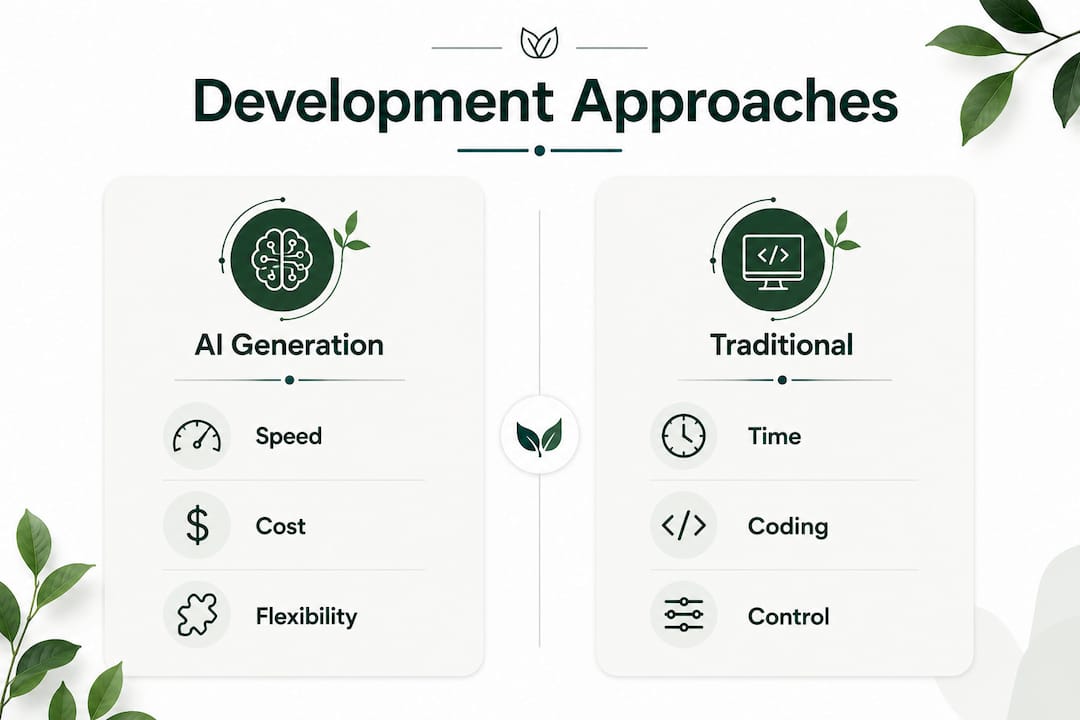
Traditional templates fix your content into a rigid design. You pick a layout, then squeeze your text and images into preset boxes. If your content does not fit the template's assumptions, the result looks awkward. AI website generation flips that relationship. Smart templates and auto-layout engines adapt the design to your content dynamically, producing layouts that fit what you actually have to say.
Manual development gives you the most control, but at a steep cost in time and money. A custom-coded site from a professional developer takes weeks and costs thousands of dollars. AI generation delivers a professional starting point in minutes, which you can then customize further.
| Approach | Time to launch | Coding required | Design flexibility | Cost range |
|---|---|---|---|---|
| Manual development | Weeks | Yes | Very high | High |
| Traditional templates | Hours to days | Minimal | Low to medium | Low to medium |
| AI website generation | Minutes | No | High | Low |
One underappreciated advantage of AI generation is context awareness. AI builders draw on industry and business details you provide to produce layouts and copy that fit your specific market, not a generic placeholder. A plumber's site and a yoga studio's site built with the same AI tool will look and read completely differently, because the AI tailors output to the input.
The one honest limitation: complex custom interactions, such as multi-step booking systems or advanced e-commerce logic, may still need a developer's hand. AI generation handles the 80% of a website that most small businesses actually need. The remaining 20% of highly specific functionality is where manual coding still earns its place. Choosing an AI builder that outputs clean, exportable code means a developer can pick up exactly where the AI left off, without starting from scratch.
What practical steps lead to a successful AI-generated website?
The quality of your output depends almost entirely on the quality of your input. Vague prompts produce generic websites. Detailed descriptions produce tailored, brand-appropriate results. Follow this workflow to get the most from any AI website builder.
-
Write a specific business description. Include your industry, location, target customer, tone, and primary goal. "I run a family-owned Italian restaurant in Chicago targeting date-night diners, with a warm and upscale feel" gives the AI everything it needs to make real decisions.
-
Add design preferences upfront. Mention colors, fonts, or reference sites you admire. The AI uses these signals to narrow its design choices before generating the first draft.
-
Review the draft critically. Treat the AI output as a strong first draft, not a finished product. Check that the copy sounds like your brand, the images fit your business, and the layout guides visitors toward your main goal.
-
Refine with conversational commands. Type plain-English instructions to adjust what you see. "Make the headline shorter," "move the contact form above the fold," or "use a darker background" all work as direct commands in modern AI builders.
-
Test on real devices. Open the site on your phone and a tablet before publishing. Mobile responsiveness is built into AI-generated code, but real-device testing catches display issues that desktop previews miss.
-
Add real business data. Replace placeholder contact details, hours, and product information with your actual data. Connect any forms, booking tools, or payment integrations your business needs.
-
Plan for ongoing updates. AI builders support iterative refinement over time. When your services change or you want a seasonal promotion, a single conversational prompt updates the site in seconds.
Pro Tip: Save your best-performing prompt descriptions. When you need to update or rebuild a section later, a well-written prompt from your own business context will always outperform a generic one.
Key Takeaways
AI website generation produces professional, customizable websites from plain-language descriptions in minutes, replacing the need for designers, developers, and copywriters simultaneously.
| Point | Details |
|---|---|
| Speed is the core advantage | A functional draft can go live in under three minutes, compared to weeks for custom development. |
| Prompt quality drives output quality | Detailed business descriptions produce tailored layouts and copy; vague inputs produce generic results. |
| AI adapts design to content | Unlike fixed templates, AI auto-layout engines arrange design around your specific content dynamically. |
| Clean code protects your investment | AI builders that output standard HTML, CSS, or React code let you migrate or extend the site without lock-in. |
| Iteration keeps the site current | Conversational commands let you update copy, layout, and features in seconds after the initial launch. |
Why AI website generation matters more than most people realize
The conventional wisdom says AI website builders are fine for simple sites but fall short for anything serious. I disagree with that framing. The real issue is not the AI's capability. It is how most business owners use it.
The biggest mistake I see is treating the first AI draft as the final product. That draft is a starting point, not a finished site. The owners who get the best results treat the AI like a junior designer: capable, fast, and worth directing. They spend 20 minutes refining the draft with specific instructions, and the result looks nothing like a generic template.
The second mistake is choosing AI builders that lock content into proprietary systems. If the platform closes or raises prices, you lose everything. Builders that generate standard, exportable code give you real ownership of what you build. That distinction matters far more than any feature list.
The future of this technology is not replacing human judgment. It is handling the repetitive, time-consuming parts of web creation so business owners can focus on what only they can provide: their actual business knowledge, brand voice, and customer relationships. AI handles the scaffolding. You provide the substance.
— jacopo
How Talivo turns your business description into a live website
Talivo is built specifically for entrepreneurs and small business owners who need a professional website without the cost or complexity of traditional development. You describe your business, and Talivo's AI generates a complete, mobile-first site with copy, layout, and design already in place.
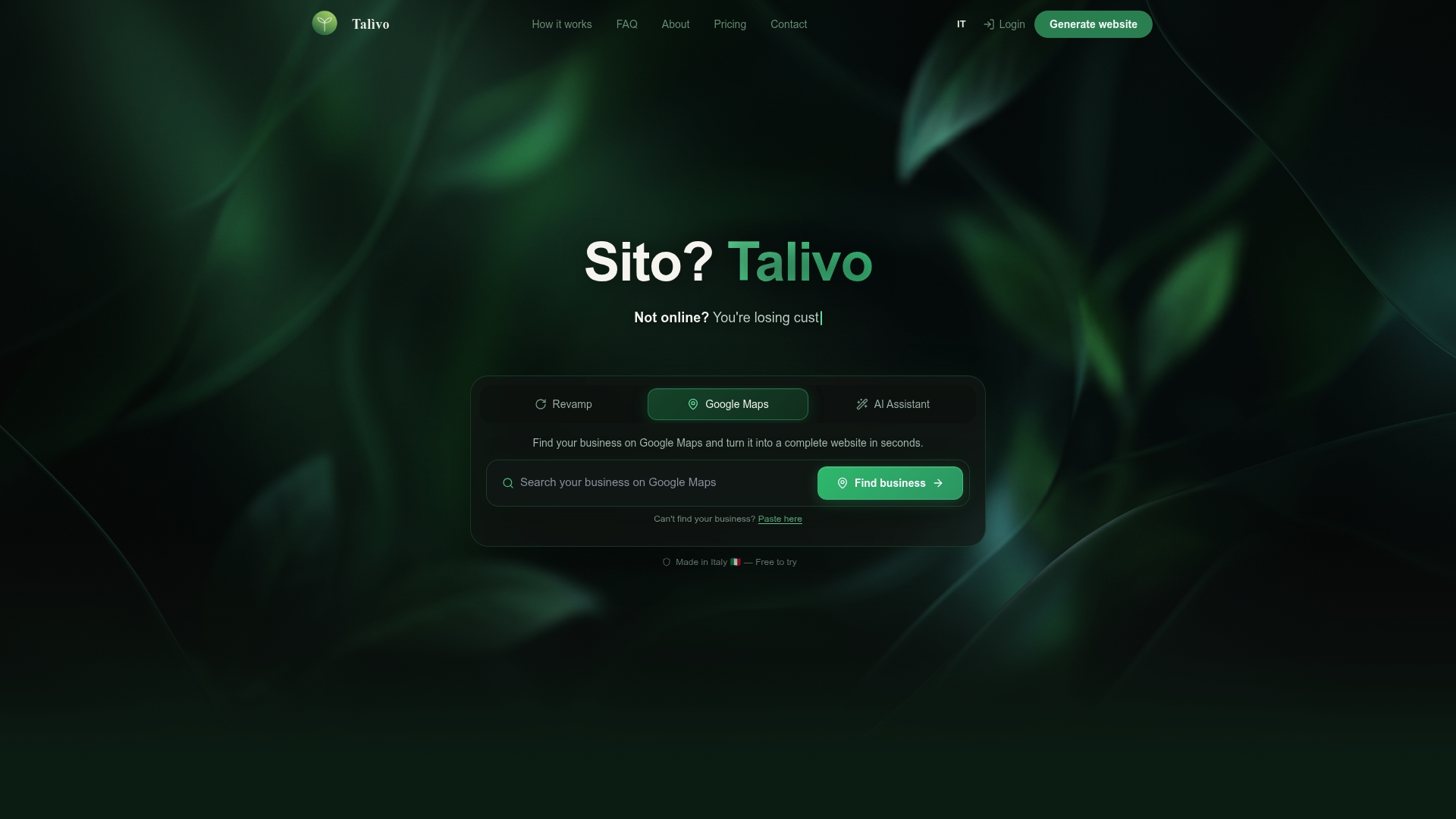
If you already have a site, paste the URL and Talivo redesigns it with a modern look while keeping your existing content and images. If you are listed on Google Maps but have no website, Talivo converts that listing directly into a full site, pulling in your photos, reviews, and contact details automatically. New businesses can start from a description and go live the same day. See exactly how the process works on the Talivo how-it-works page.
FAQ
What is AI website generation in simple terms?
AI website generation is the process of turning a plain-language business description into a fully designed, hosted website automatically. The AI writes the copy, selects the layout, and assembles the code without any manual coding from the user.
How long does it take to generate a website with AI?
A functional draft typically appears in 90 seconds to 5 minutes. The full process, including deployment to a live URL, can complete in under three minutes for standard site layouts.
Do I need any technical skills to use an AI website builder?
No technical skills are required. AI website builders accept plain-English descriptions and conversational editing commands, so anyone who can describe their business can build and update a site.
Will an AI-generated website rank well on Google?
AI-generated code typically includes semantic HTML, proper heading structure, and mobile responsiveness, all of which support good SEO performance. Content quality and backlinks still determine rankings, but the technical foundation is solid from the start.
What happens if I want to customize my AI-generated site further?
AI builders that output standard HTML, CSS, or React code let you hand the site to a developer for advanced customization. You are not locked into the platform's editor, and the developer starts from clean, readable code rather than a blank page.