
Client-facing website design is the practice of building websites specifically around the needs, goals, and decision-making processes of your clients or customers, not around internal preferences or company vanity. Where an internal or employee-facing site prioritizes workflow tools and back-end access, a client-facing site is the public front door: every layout choice, navigation path, and content block exists to help a visitor understand, trust, and act. The industry term for this approach is customer-centric web design, and it covers everything from how quickly a page loads to whether a contact form actually reduces friction or adds to it.
What client-facing website design really means
Client-facing design puts the visitor's goals ahead of the company's desire to look impressive. A product-centric site leads with awards, features, and company history. A client-focused site leads with the answer to the visitor's question: Can you solve my problem, and can I trust you to do it?
The core elements that define this approach:
- Intuitive navigation that lets visitors find what they need in two clicks or fewer, without reading a site map
- Clear, consistent branding that signals reliability before a single word is read
- Engaging, goal-oriented content written for the client's decision-making process, not the company's org chart
- Streamlined communication channels such as live chat, contact forms, and booking tools placed where clients actually look for them
- Accessibility standards following WCAG guidelines so the site works for every visitor, including those using screen readers or keyboard navigation
- Mobile-first responsive design because most clients encounter a business on a phone before they ever open a laptop
- Trust signals including reviews, credentials, and case studies positioned at the moment a visitor is deciding whether to stay or leave
The difference from internal design is simple. An employee portal can afford to be complex because users are trained on it. A client-facing site gets one shot. If the path to a decision is unclear, the visitor leaves.
Why client-focused web design pays off
The business case for customer-centric design is direct: design-led companies that use customer experience as a growth engine consistently outperform others in renewal rates and profitability by embedding design thinking across every client interaction.
The benefits show up across the business:
- Higher conversion rates because visitors who understand what you offer and trust you to deliver it are far more likely to take the next step
- Stronger client retention tied directly to the clarity and predictability of the experience, not just the quality of the product
- Better brand reputation built through consistent visual language and communication that clients associate with reliability over time
- Reduced support load when navigation and content answer questions before clients need to ask them
- Faster sales cycles because a well-designed site transfers confidence, and clients buy certainty, not just deliverables
- Differentiation in crowded markets where product parity is common but experience quality varies widely
For small businesses especially, a client-focused site often outperforms a more expensive but internally focused one. Visitors do not care how much the site cost. They care whether it answered their question.
Key features and principles that make a website client-friendly
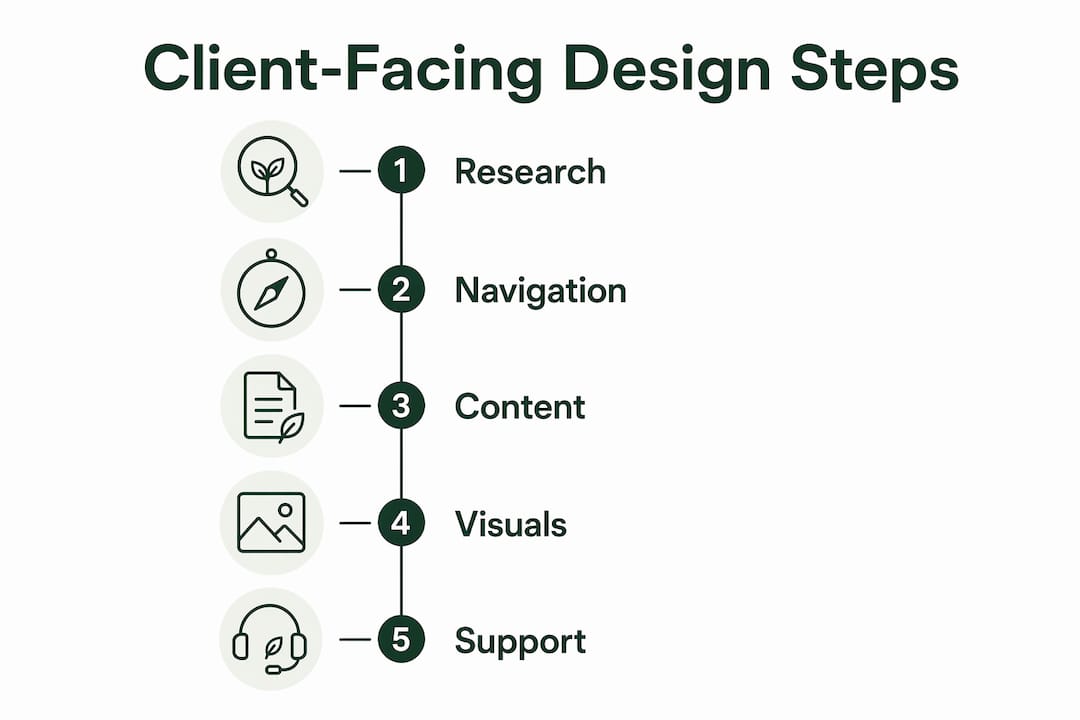
Knowing what client-facing design looks like in practice is where most guides fall short. Here are the features that actually move the needle.
Navigation and structure
Intuitive navigation is the single most measurable feature of a client-friendly site. The Client-First framework, developed by Finsweet for Webflow, uses standardized naming conventions and modular components to build consistent, maintainable sites where every element has a predictable place. Even outside that specific framework, the principle holds: structure your site like a table of contents, not a filing cabinet.

Content aligned with client decisions
Every page should have one clear purpose: book an appointment, request a quote, read a case study. Content written for client decision-making answers the questions a visitor is silently asking, such as "Is this the right fit for me?" and "What happens after I reach out?" Pages that lead with company history or internal terminology fail this test immediately.
Visual communication
Visual learners retain information better through flowcharts, infographics, and structured layouts than through dense text. Professional services firms that default to text-heavy proposals miss a real opportunity: a clear process diagram builds confidence before a single conversation happens.

Complaint and inquiry resolution
A client-facing site needs a fast, visible path for clients who have a problem or a question. That means a contact option on every page, not buried in a footer, and a response expectation set clearly. Sites that hide support options signal that post-sale service is an afterthought.
Tools and technologies
CRMs like Salesforce or HubSpot, project dashboards, and live chat tools such as Intercom or Drift all support the client-facing layer of a website. The best implementations combine structured communication tools with warm, personalized responses: technology handles logistics while the human layer handles reassurance and nuance.
Pro Tip: Before redesigning any page, map the three questions a client is most likely asking when they land on it. If the page does not answer all three above the fold, restructure before you touch the visual design.
How visual frameworks and customer experience shape client trust
The most overlooked principle in client-facing design is that clients are not evaluating your aesthetics. They are evaluating their own confidence in the decision they are about to make.
Clients purchase design to achieve certainty in decisions, not just the final asset. A well-structured site transfers that certainty by making the rationale behind every choice visible and defensible. When a visitor can understand why the navigation is organized the way it is, or why a service page leads with outcomes rather than process, they feel guided rather than sold to.
Psychological safety created by clear, predictable communication during onboarding and project phases translates directly into trust and higher engagement through top-tier design services that help tech companies enhance client trust and engagement. This is why the emotional arc of a client's first visit matters as much as the information architecture. Tone, clarity, and visual hierarchy communicate competence before a single word is consciously processed.
Key principles drawn from industry practice:
- Lead with outcomes the client cares about, not features you are proud of
- Use visual frameworks (process diagrams, timelines, comparison tables) to reduce cognitive load at decision points
- Make every communication touchpoint, from a contact confirmation email to a proposal page, feel like part of the same coherent experience
- Frame design decisions as strategic choices grounded in business outcomes, not aesthetic preferences, so clients become collaborative partners rather than critics
Design practices that emphasize guidance, anticipation, and simplification create a client experience that conveys leadership and reliability. For high-stakes decisions, that sense of being guided is often the deciding factor.
Talivo applies this principle directly. Its AI-guided website creation process walks business owners through decisions step by step, producing sites that are structured around client clarity from the first page, without requiring design expertise from the business owner.
Common challenges and how to overcome them
Client-facing design fails in predictable ways. Recognizing the patterns makes them easier to fix.
Unclear value proposition above the fold. Visitors decide within seconds whether a site is relevant to them. If the headline describes the company rather than the client's outcome, most visitors leave before scrolling. Fix: rewrite the hero section so the first sentence names the problem you solve and who you solve it for.
Navigation built around internal logic. Companies often organize menus by department or product line, which mirrors how the business thinks, not how clients search. Fix: run a simple card-sorting exercise with five real clients and rebuild the menu around their mental model.
No mobile optimization. A site that works beautifully on desktop but breaks on a phone loses the majority of first-time visitors. Following modern web design standards means mobile-first is the baseline, not a bonus feature.
Outdated design signals distrust. Clients read visual quality as a proxy for operational quality. An outdated website with broken layouts or stale content tells a prospective client that the business does not pay attention to detail. Regular audits, at minimum once a year, catch these signals before they cost you clients.
Slow load times. Page speed directly affects both search rankings and client perception. Compressing images, minimizing JavaScript, and using a reliable CDN are the three fastest wins for most small business sites.
Best practices for measuring and improving client engagement
You cannot improve what you do not measure. Client engagement on a website is concrete and trackable with the right tools.
Conversion rate by page. Google Analytics 4 and tools like Hotjar let you see exactly which pages drive contact form submissions, bookings, or purchases, and which ones bleed traffic. A page with high visits and low conversions is a design problem, not a traffic problem.
Session recordings and heatmaps. Hotjar and Microsoft Clarity show where visitors click, how far they scroll, and where they stop. A heatmap that shows no clicks on your primary call-to-action button tells you more than a month of bounce rate data.
Client satisfaction signals. Repeat business, referrals, and testimonials reveal how clients interpret the experience beyond the first visit. Satisfaction check-ins after project completion, even a single follow-up email with two questions, surface friction points that analytics cannot.
A/B testing. Tools like Google Optimize or VWO let you test two versions of a headline, a button label, or a page layout against each other with real traffic. Small changes, like moving a contact form above the fold, often produce outsized results.
Accessibility audits. Running your site through tools like WAVE or Lighthouse catches accessibility gaps that exclude visitors and hurt search rankings simultaneously. Accessibility and client-friendliness are the same goal approached from two directions.
Pro Tip: Set a quarterly review cadence: pull your top five pages by traffic, check their conversion rates, run a Hotjar recording session, and make one targeted change per page. Compounding small improvements beats a full redesign every three years.
For businesses that want to build or rebuild a client-facing site without starting from scratch, Talivo's AI-powered platform generates professional, mobile-first websites from a Google Maps listing, an existing URL, or a plain-language description of your business, putting client-centric design within reach for any business owner.
Key Takeaways
Client-facing website design succeeds when every layout, content, and navigation decision is made from the client's perspective, not the company's.
| Point | Details |
|---|---|
| Definition | Client-facing design centers on client goals and decision-making, not company features or internal logic. |
| Trust through certainty | Clients buy certainty, not design; a clear, well-structured site transfers confidence before any conversation begins. |
| Visual frameworks build confidence | Flowcharts, process diagrams, and structured layouts help clients retain information and feel guided at decision points. |
| Measure what matters | Track conversion rates by page, use session recordings, and run quarterly audits to find and fix engagement gaps. |
| Design-led companies outperform | Embedding design thinking across every client interaction drives higher renewal rates and stronger profitability. |