
Website accessibility is the practice of designing and building websites so that every person, regardless of ability or disability, can use them fully. The standard framework governing this practice is the Web Content Accessibility Guidelines, known as WCAG 2.2, which defines three conformance levels: A, AA, and AAA. At its core, accessibility rests on four principles called POUR: Perceivable, Operable, Understandable, and Robust. For webmasters, business owners, and content creators, understanding what is website accessibility is no longer optional. It affects legal compliance, search rankings, and the experience of a significant share of your audience.
What is website accessibility, and why does it matter?
Website accessibility is defined as the design and development of digital content so all users can perceive, navigate, and interact with it, including people with visual, auditory, motor, or cognitive disabilities. The POUR principles form the foundation of every accessibility success criterion in WCAG. Without them, a site may look polished but remain completely unusable for a screen reader user or someone navigating by keyboard alone.
The scale of the problem is larger than most people realize. Nearly 93% of web accessibility practitioners lack formal training in the topic. That gap explains why so many sites fail basic accessibility checks despite teams that genuinely care about quality. Knowing the definition is the first step. Acting on it is the second.
Accessibility also carries legal weight. The Americans with Disabilities Act treats inaccessible websites as discriminatory barriers similar to a physical building without a ramp. Businesses that ignore this face real legal exposure, not just reputational risk.

What are the core POUR principles of accessibility?
The four POUR principles give structure to every accessibility decision you make. Each one addresses a different way users interact with digital content.
-
Perceivable: All information must be presentable to users in ways they can detect. This means providing text alternatives for images, captions for video, and sufficient color contrast so low-vision users can read content. If a user cannot perceive your content through any sense, it fails this principle.
-
Operable: Every function on a site must be reachable and usable without a mouse. Keyboard navigation, skip links, and enough time to complete tasks all fall under this principle. A form that only works with a mouse excludes a large group of users who rely on keyboards or switch devices.
-
Understandable: Content and interfaces must be clear and predictable. This covers readable language, consistent navigation, and helpful error messages. A checkout form that clears all fields on a single error fails the understandable principle because it creates unnecessary confusion.
-
Robust: Content must work reliably across different browsers, devices, and assistive technologies like screen readers and braille displays. Code that only renders correctly in one browser is not robust. Semantic HTML is the most direct path to robustness because browsers and assistive technologies already know how to handle native elements.
These four principles are not abstract ideals. Every WCAG 2.2 success criterion maps directly to one of them. When you evaluate a design decision, asking which POUR principle it affects gives you a clear framework for prioritizing fixes.
What standards and guidelines govern website accessibility today?
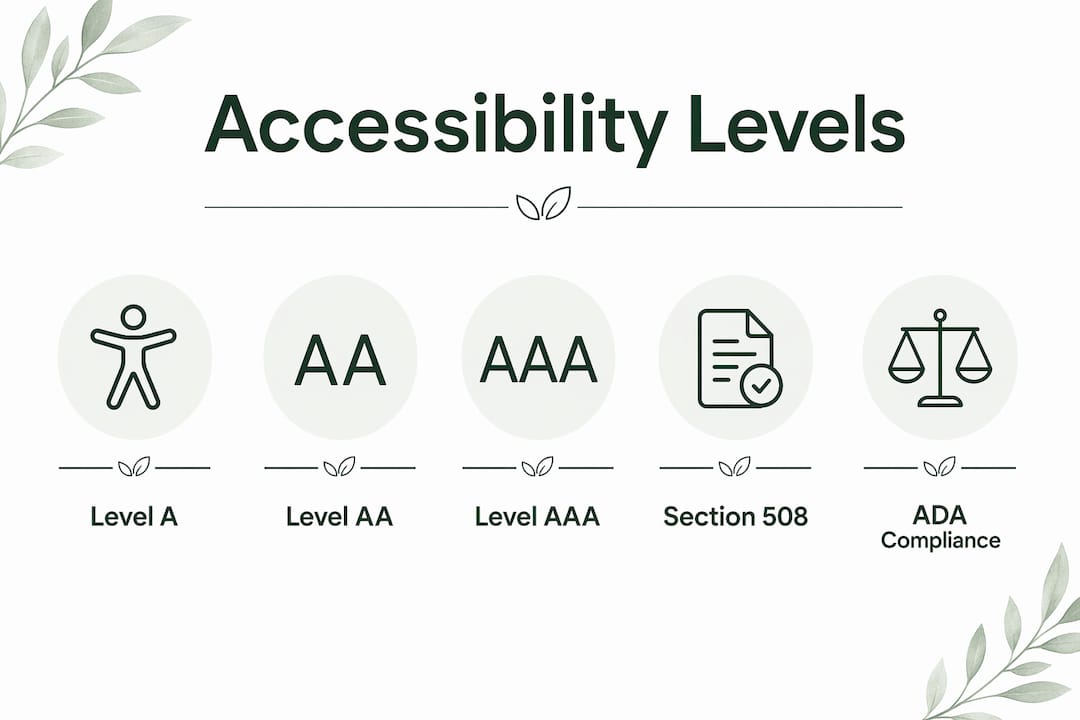
WCAG 2.2 is the current governing standard as of 2026, published by the World Wide Web Consortium (W3C). It organizes requirements into three conformance levels.
| Level | Description | Typical use |
|---|---|---|
| A | Minimum requirements; addresses the most critical barriers | Baseline for any public site |
| AA | Industry and legal standard; covers the broadest range of disabilities | Required for ADA compliance and most regulations |
| AAA | Highest level; not always achievable for all content types | Specialized or government services |
Level AA is the target for most businesses. It covers requirements like sufficient color contrast ratios, keyboard accessibility, and descriptive link text. Reaching AA means your site works for the vast majority of users with disabilities.
Section 508 of the Rehabilitation Act applies specifically to federal agencies and organizations receiving federal funding in the United States. It references WCAG 2.0 Level AA as its technical standard, which means WCAG 2.2 AA compliance exceeds that requirement. For private businesses, the ADA is the primary legal framework, and courts have consistently ruled that websites are covered under its Title III provisions.
The practical takeaway: target WCAG 2.2 AA. It satisfies ADA guidance, exceeds Section 508 requirements, and positions your site well for any future regulatory updates.
How to improve website accessibility: best practices that work
Improving digital accessibility does not require rebuilding your site from scratch. Most high-impact changes fall into a handful of categories.
Use semantic HTML before reaching for ARIA. Native HTML elements like <button>, <nav>, and <main> carry built-in accessibility features that browsers and screen readers already understand. Adding ARIA attributes to a <div> to make it behave like a button is harder to maintain and more error-prone than simply using <button>. Semantic HTML is the highest-leverage first step.
Write meaningful alt text for every image. Decorative images should have empty alt attributes (alt="") so screen readers skip them. Informative images need concise descriptions that convey the same meaning as the visual. A photo of a product with alt text "red running shoe, side view" gives a screen reader user the same information a sighted user gets at a glance.
Preserve logical keyboard tab order. Tabindex values greater than 0 override the natural document order and create disorienting jumps for keyboard users. Stick to the natural tab order defined by your HTML structure. Reserve tabindex="0" for making non-interactive elements focusable when absolutely necessary.
Check color contrast ratios. WCAG 2.2 AA requires a contrast ratio of at least 4.5:1 for normal text and 3:1 for large text. Free tools like the WebAIM Contrast Checker let you test any color combination in seconds.
Test with both automated tools and manual checks. Automated testing tools catch roughly 40–50% of accessibility issues. The remaining issues require manual review, including keyboard-only navigation tests and screen reader walkthroughs using tools like NVDA or VoiceOver.
Pro Tip: Run a keyboard-only session on your site once a month. Navigate every page using only Tab, Shift+Tab, Enter, and arrow keys. You will find focus traps, missing skip links, and broken form flows that automated scanners miss entirely.
Accessibility improvements work best when they are part of your regular development workflow, not a separate audit cycle. Embedding checks into your content creation and code review process catches issues before they reach production.
How does website accessibility benefit all users?
The curb cut effect describes how features built for people with disabilities end up benefiting everyone. Curb cuts in sidewalks were designed for wheelchair users. They also help parents with strollers, delivery workers with carts, and cyclists. The same dynamic plays out online.
Captions on videos help users in noisy environments and non-native speakers, not just deaf users. High-contrast text is easier to read on a bright screen outdoors. Keyboard navigation benefits power users who prefer shortcuts. Accessibility improvements create a better experience for mobile users, older adults, and anyone dealing with a temporary impairment like a broken arm.
"Accessibility is not about building a separate experience for people with disabilities. It is about building one experience that works for everyone, in every context, on every device."
Semantic HTML and clear page structure also improve SEO directly. Search engines parse page structure the same way screen readers do. Descriptive headings, meaningful link text, and proper image alt text all help crawlers understand your content. A site built for accessibility tends to rank better because it is also built for clarity.
The importance of website accessibility extends to aging populations as well. Adults over 65 represent a growing share of internet users, and many experience reduced vision, hearing, or motor control. Designing for this group is not a niche consideration. It is designing for a mainstream and growing audience.
Key Takeaways
Website accessibility built to WCAG 2.2 Level AA is the single most effective way to reduce legal risk, improve SEO, and make your site usable for every visitor.
| Point | Details |
|---|---|
| POUR principles are foundational | Every accessibility decision maps to Perceivable, Operable, Understandable, or Robust. |
| Target WCAG 2.2 AA | Level AA satisfies ADA guidance and covers the broadest range of user needs. |
| Semantic HTML first | Use native elements before ARIA to reduce errors and improve screen reader compatibility. |
| Test manually, not just automatically | Automated tools catch only 40–50% of issues; keyboard and screen reader tests find the rest. |
| Accessibility benefits everyone | The curb cut effect means accessibility improvements improve usability for all visitors. |
Accessibility is a process, not a project
The most common mistake I see webmasters and business owners make is treating accessibility as a one-time audit. They fix the flagged issues, check a box, and move on. Six months later, new content has introduced broken heading structures, images without alt text, and color combinations that fail contrast checks. The site is back where it started.
Accessibility requires continuous auditing because websites are living documents. Every new blog post, product page, or design update is an opportunity to introduce a barrier. The teams that get this right build accessibility into their content and development checklists, not their annual review calendar.
I have also seen a lot of misplaced confidence in ARIA. Developers add ARIA roles and labels to complex custom components and assume the job is done. But ARIA does not fix broken semantics. It supplements them. A <div> with role="button" still does not receive keyboard events by default. You still need JavaScript to handle Enter and Space key presses. Native elements handle all of that automatically. The rule is simple: use the right HTML element first, and reach for ARIA only when no native element fits the job.
The quick wins are real. Alt text, heading structure, and color contrast can be fixed in a day and make a meaningful difference immediately. But the deeper work, like logical focus management in single-page applications or accessible data tables, takes time and testing. Prioritize the quick wins first, then build the deeper fixes into your roadmap.
— jacopo
Building an accessible website with Talivo
Getting accessibility right from the start is far easier than retrofitting it later. Talivo builds websites with a modern, mobile-first approach that applies clean semantic structure by default, giving your site a solid accessibility foundation before you write a single line of custom code.
Whether you are starting from a Google Maps listing, an outdated URL, or a blank description of your business, Talivo generates a complete site with structured headings, proper image handling, and clear navigation. You get a professional web presence that works for every visitor, without needing to manually audit every element. See how Talivo works and build a site that meets modern accessibility standards from day one.
FAQ
What is the website accessibility definition?
Website accessibility is the practice of designing digital content so all users, including those with disabilities, can perceive, navigate, and interact with it. The WCAG 2.2 guidelines from the W3C define the technical standards for achieving this.
What is WCAG 2.2 and which level should I target?
WCAG 2.2 is the current Web Content Accessibility Guidelines standard, published by the W3C. Most businesses should target Level AA, which satisfies ADA guidance and covers the widest range of disabilities.
Does website accessibility affect SEO?
Accessibility and SEO share a strong positive correlation. Semantic HTML, descriptive alt text, and clear heading structures improve both screen reader compatibility and search engine crawlability at the same time.
What are the most common website accessibility mistakes?
The most common mistakes include missing alt text on images, insufficient color contrast, broken keyboard navigation, and over-reliance on ARIA without proper semantic HTML as a foundation.
How do I test my website for accessibility?
Use automated tools for an initial scan, but follow up with manual keyboard-only navigation and screen reader testing. Automated tools catch roughly 40–50% of issues, so manual checks are not optional.