
The fastest way to get a working business website live right now is to convert your existing Google Maps listing into a professional site using an AI builder like Talivo. If you don't have a listing yet, a one-page template with hosted publishing gets you there in under an hour. Either way, you don't need a designer, a developer, or a week of free time.
What you need before you hit publish:
- Your business name (exactly as you want it displayed)
- One clear photo (a storefront, product, or headshot works fine)
- A contact phone number or email address
That's the minimum viable launch. Everything else, a full about page, a services list, a privacy policy, can come after you're live.
Live site estimate: AI listing-to-site route: a few minutes. One-page template with your own content: under a couple of hours. A multipage site built from scratch: several hours to multiple days.
The biggest mistake small business owners make is waiting until everything is perfect. A working site with basic contact info beats no site every time, and you can always add pages later.
Table of Contents
- Which fast approach is right for you?
- How to publish a working business site right now
- What to prepare before you open the builder
- How long does it take, and what does it cost?
- Which pages do you need at launch, and is your site ready?
- What to do the day you go live
- How Talivo cuts the time from idea to live site
- Key Takeaways
- Speed is a strategy, not a shortcut
- Talivo gets your site live before you finish your coffee
- Useful sources and next steps
Which fast approach is right for you?
Three methods consistently get small businesses online the fastest. Each one suits a different starting point.
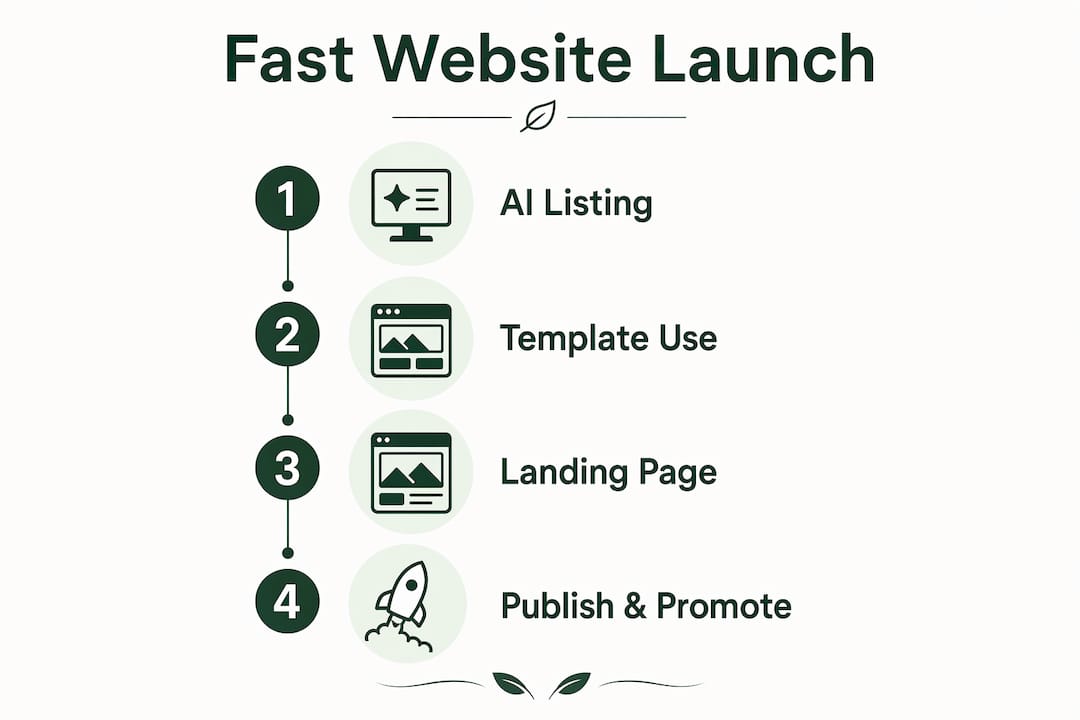
AI listing-to-site conversion is the quickest path if your business already appears on Google Maps. Tools like Talivo pull your existing photos, reviews, hours, and contact details directly from the listing and build a complete site around them. You're not writing copy from scratch or hunting for photos. The AI fills in the structure, and you review and publish. Time to live: often under 30 minutes.
One-page template with hosted publishing works well when you have a few photos and a short description ready but no existing listing. You pick a template, drop in your content, and publish to a platform subdomain. No domain purchase required at launch. Time to live: 45–90 minutes for most people.

Bare-bones landing page is the leanest option: one section, one headline, one call-to-action button, and a contact form. It's not a full website, but it's a real online presence you can share immediately. Time to live: 20–30 minutes.
The trade-off between these three comes down to speed versus control. The AI listing route is fastest but gives you less design freedom at the start. The template route takes longer but lets you shape the look more deliberately. The landing page is the fastest of all, but it's thin on content and won't rank well in search.
On the domain question: a platform subdomain (like yourbusiness.talivo.tech) is perfectly fine for launch. Connect a custom domain once you're confident the site is working. Domains typically cost a small annual fee, and most platforms let you connect one without rebuilding anything.
How to publish a working business site right now
Follow this sequence from start to live. Skip nothing in the first six steps.
- Choose your approach. Pick one of the three methods above based on your starting point. If you're on Google Maps, start with the AI listing route.
- Gather your minimum assets. Business name, one photo, phone number or email. That's it for now.
- Open your builder and start the flow. For Talivo, paste your Google Maps URL or describe your business in a few sentences. The AI generates a draft site with your content already placed.
- Review the generated content. Read the headline, the about blurb, and the contact section. Fix anything that sounds off. This usually takes five minutes.
- Add a clear call-to-action. Every site needs one obvious next step for visitors. "Call us," "Book a free consultation," or "Get a quote" all work. Put it above the fold.
- Preview on mobile. Most of your visitors will arrive on a phone. If the layout breaks or the text is too small, fix it before publishing.
- Hit publish. For a platform subdomain, this is one click. For a custom domain, you'll verify ownership through a DNS record, which takes 5–30 minutes to propagate.
- Enable SSL. Most hosted builders do this automatically. If yours doesn't, look for a "Force HTTPS" toggle in the domain settings.
- Connect Google Analytics or a basic traffic tracker. Paste the tracking code into your site's header settings. Takes two minutes and you'll want the data later.
Copy-ready micro-templates to speed up your writing:
- Hero headline: "[Business name] — [What you do] in [City]." Example: "Maple Street Roasters — Specialty Coffee in Austin."
- One-line about: "We help [customer type] [achieve outcome] without [common pain point]."
- Call-to-action: "Ready to get started? Call us at [number] or [Book online]."
For template types, look for a one-page storefront layout, an appointment booking page, or a services overview page. These three cover the vast majority of local business needs at launch. The website creation checklist on Talivo's blog maps these steps in detail if you want a printable reference.
What to prepare before you open the builder
The number one reason a "quick" launch turns into a three-day project is stopping mid-flow to hunt for assets. Prepare these before you open any tool.
Minimum asset checklist:
- Logo file or just your business name in text (you can add a logo later)
- 1–3 photos: a product shot, your space, or a headshot
- One-sentence business description
- Contact phone and email
- Business hours (if relevant)
- A short list of your services or products with rough prices
How to collect assets fast: Phone photos taken in good natural light are good enough for launch. If you struggle to write a description, record a 30-second voice note explaining what you do and who you help, then transcribe it. Google's own voice-to-text on Android or Apple's dictation on iPhone both work without any extra app. If your business is on Google Maps, importing listing data is the single biggest time-saver: photos, hours, and contact info arrive pre-filled.
Pro Tip: Limit yourself to three template options maximum before you choose. Research on the paradox of choice shows that too many options increase the likelihood of no decision at all. Pick the first template that's close to your brand, customize the colors and fonts once, and move on.

On legal items: a basic privacy policy is worth adding at launch if you collect any contact form data, which you almost certainly will. Free generators like Termly or iubenda produce a compliant one-page policy in minutes. You don't need a lawyer for a simple informational site, but if you're selling products or collecting payments, consult one before launch.
How long does it take, and what does it cost?
Time and cost vary more than most guides admit. Here's what's realistic for U.S. small businesses in 2026.
Time-to-live estimates:
- AI listing-to-site (Talivo): 15–30 minutes
- One-page template with your own content: 45–90 minutes
- Multipage site (home, about, services, contact): 4–8 hours
- Full e-commerce store: 2–4 weeks minimum
Cost breakdown:
| Component | Free option | Paid range (annual) |
|---|---|---|
| Site creation | Free (Talivo free tier) | Included in subscription |
| Publishing / hosting | Platform subdomain | $8/month subscription |
| Custom domain | None | $10–$20/year |
| Business email | None | $6/month (Google Workspace) |
| Analytics | Google Analytics (free) | Free |
| Privacy policy | Free generator | — |
The practical minimum to get a real site live with a custom domain includes the domain cost plus a monthly publishing subscription. Many builders, including Talivo, let you create and preview for free and only charge when you're ready to publish with a custom domain or unlock advanced features.
Where to save money at launch: defer business email, premium plugins, and advanced analytics until you have paying customers. Where to spend early: the custom domain. A branded domain builds trust faster than any design choice, and $15 is not a meaningful investment to delay.
Which pages do you need at launch, and is your site ready?
A minimal but complete launch site needs five elements. You don't need ten pages. You need the right five.
Essential pages and elements:
- Home: Your headline, a one-paragraph description, and a clear call-to-action button
- Contact: Phone number, email, and a simple form (name, message, submit)
- Services or products: A short list with descriptions and prices or price ranges
- About: Two to three sentences about who you are and why customers should trust you
- Basic policy: A privacy policy if you collect any form data
Pre-launch QA checklist:
- Open the site on your phone and confirm the layout looks correct
- Submit a test contact form and verify you receive the email
- Tap every link and button to confirm none are broken
- Check that images load and aren't blurry or stretched
- Confirm your phone number is tap-to-call on mobile
- Read the page title in the browser tab — it should say your business name, not "Home" or "Untitled"
- Run a quick speed check using Google PageSpeed Insights (free, takes 60 seconds)
Mobile usability matters more than almost any other technical factor at launch. If your site looks good on a phone, you've cleared the highest bar most visitors will set.
For analytics and search indexing: add your site to Google Search Console the day you publish. It's free, takes five minutes, and tells Google your site exists. Without it, you're waiting for Google to find you on its own schedule.
What to do the day you go live
Publishing is step one. Getting your first visitors is step two, and it doesn't require a marketing budget.
Immediate promotion actions, in order of impact:
- Claim or update your Google Business Profile and add your new site URL. Local search is where most small businesses get their first organic traffic, and this is free.
- Add your site link to every social profile you own: Instagram bio, Facebook page, LinkedIn, wherever you're active.
- Send a short announcement to your existing email or SMS list. Even 50 contacts who already trust you will drive real visits.
- Post in one or two local community groups on Facebook or Nextdoor. Keep it simple: "We just launched our website — here's where to find us."
Fast SEO basics you can implement in 10 minutes:
- Set your page title to include your business name and main service: "Maple Street Roasters | Specialty Coffee in Austin, TX"
- Write a meta description (150–160 characters) that describes what you do and where
- Use one clear H1 heading on each page that includes your primary keyword
- Add alt text to every image: "exterior of Maple Street Roasters coffee shop, Austin"
Pro Tip: Use a branded short link when sharing your site on social media or in text messages. A clean, short URL looks more professional than a long platform subdomain and makes it easier to track which channels are actually sending traffic.
On paid promotion: local Google Ads and boosted Facebook posts can drive traffic within hours of launch, but they're worth it only if you have a clear offer and a working contact form. Spending $50 on ads before your form is tested is a common and avoidable mistake.
A realistic expectation: your first 50–100 visitors will come from people who already know you. Reaching a thousand visitors a day requires consistent content, SEO work, and time. Set that as a 6-month goal, not a week-one expectation.
How Talivo cuts the time from idea to live site
The AI listing-to-site workflow is genuinely faster than any template-based approach, and the reason is simple: you're not starting from a blank page.
When a local business has a Google Maps listing, that listing already contains the most time-consuming parts of a website build: photos, business hours, contact details, customer reviews, and a short description. Talivo imports all of that automatically, structures it into a mobile-first layout, and presents a draft you can review and publish. The conversational AI then prompts you for anything missing, so you're answering questions rather than staring at an empty text field.
What Talivo handles automatically:
- Photo import from your Google Maps listing
- Review display (social proof, pre-loaded)
- Contact details and hours, pre-filled
- AI-generated headline and about text based on your business type
- Mobile-responsive layout, no configuration needed
- Live preview before you publish
- One-click publish to a subdomain or custom domain
Practical scenario: A freelance photographer in Chicago with a Google Maps listing can go from opening Talivo to a live, mobile-optimized site with photos and reviews displayed in roughly 20 minutes. No writing, no design decisions, no hosting setup.
When should you slow down and hire a designer instead? If you're launching an e-commerce store with more than 20 products, need custom booking logic, or require deep brand customization, a professional build is worth the investment. For a local service business, a freelancer, or a new entrepreneur testing an idea, the AI route gets you to "live and functional" faster than any alternative. The role of AI in website creation is precisely this: removing the blank-page problem so you publish instead of procrastinate.
Key Takeaways
The fastest way to launch a business website is to convert an existing Google Maps listing with an AI builder, publish to a subdomain, and promote through your Google Business Profile the same day.
| Point | Details |
|---|---|
| Fastest route available | AI listing-to-site conversion (Talivo) gets a working site live in 15–30 minutes. |
| Minimum assets needed | Business name, one photo, and a contact number or email are enough to publish. |
| Cost to go live | Free to create; a custom domain costs $10–$20/year plus a monthly publishing subscription. |
| First promotion step | Update your Google Business Profile with your new URL the same day you publish. |
| Talivo's advantage | Talivo auto-imports photos, reviews, and contact details from Google Maps, removing the blank-page problem entirely. |
Speed is a strategy, not a shortcut
There's a version of this conversation where someone tells you to slow down, plan carefully, and get everything right before you publish. That advice makes sense for a hospital system or a Fortune 500 brand. For a local business or a solo entrepreneur, it's the wrong instinct.
The web rewards presence. A site that's live and imperfect beats a site that's perfect and invisible. Every day your business doesn't have a web presence, you're losing the customers who searched for what you offer and found someone else instead.
That said, speed without intention creates its own problems. Publishing a site with a broken contact form, no mobile layout, or a domain you don't own is worse than waiting another day. The pre-launch checklist in this guide isn't optional. It's the five minutes that separates a useful site from an embarrassing one.
The other thing worth saying plainly: your domain and your subscription matter. If you build on a platform and cancel, you may lose access to your site. Own your domain from day one, keep your login credentials somewhere safe, and understand what happens to your content if you stop paying. These aren't exciting decisions, but they're the ones that protect the work you put in.
One structural note: an LLC is not legally required to own or operate a website. A sole proprietor or a registered DBA can run a professional business site. Entity choice affects liability, not your ability to publish. If you're unsure which structure fits your situation, that's a question for a business attorney or your state's small business development center, not a website guide.
Talivo gets your site live before you finish your coffee
Most website builders ask you to start from nothing. Talivo starts from what you already have.
If your business is on Google Maps, Talivo converts that listing into a complete, mobile-first website in minutes, pulling in your photos, reviews, hours, and contact details automatically. No copywriting session, no design decisions, no hosting configuration. The AI walks you through the few gaps with simple prompts, you review the draft, and you publish.
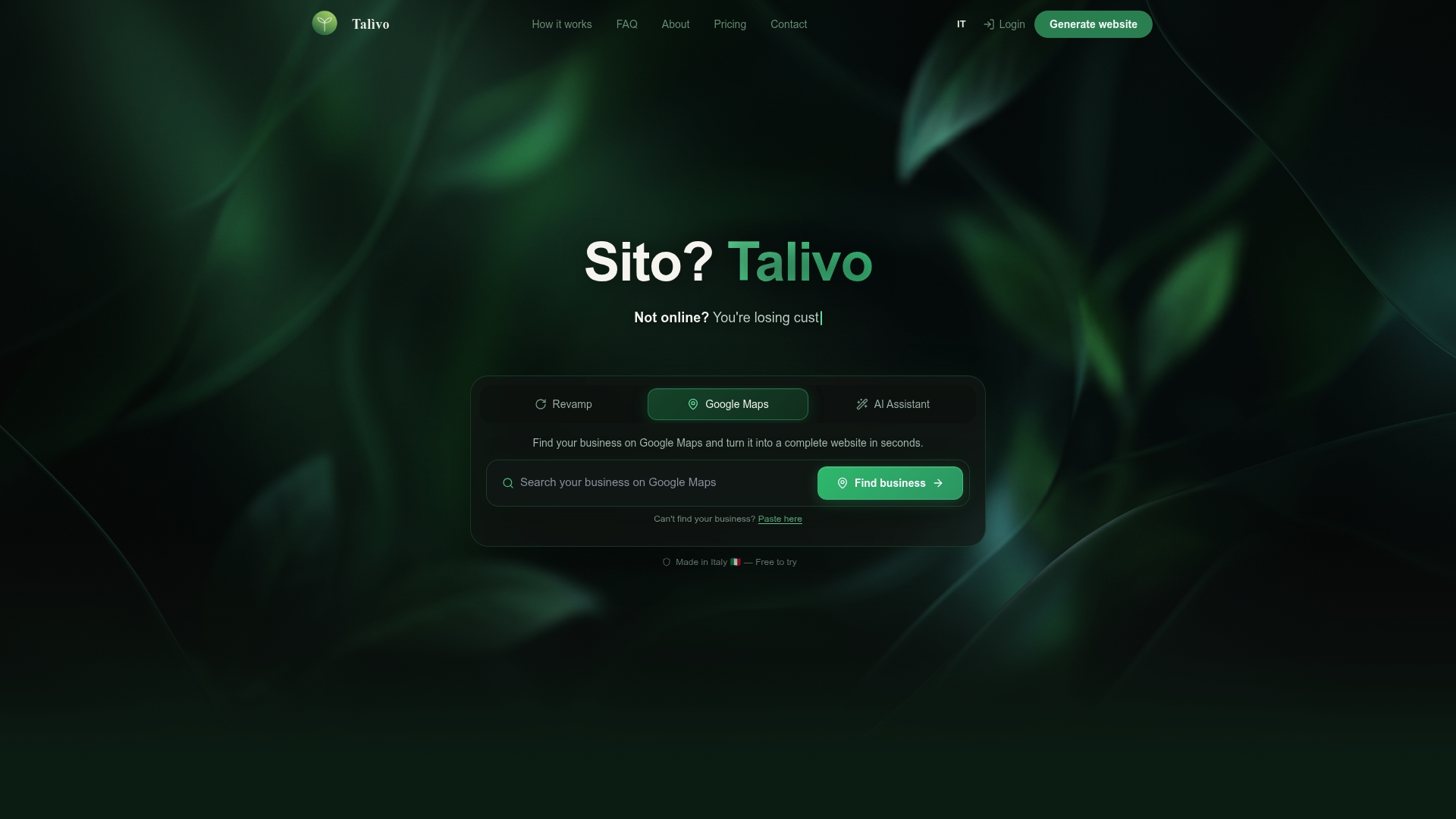
For new entrepreneurs with no listing yet, Talivo's conversational AI generates a full site from a short business description. You describe what you do, who you serve, and where you're located. The AI builds the structure and suggests the copy.
Creation is free. You pay a monthly subscription when you're ready to publish with a custom domain or manage multiple sites. No long-term contracts.
Start building your site on Talivo today, or see exactly how the flow works from prompt to live website.
Useful sources and next steps
Talivo resources:
- AI Website Builder Step by Step: A Small Business Guide — the practical walkthrough of Talivo's conversational AI flow; start here if you want to follow the steps before you open the tool
- Website Creation Checklist for Entrepreneurs — a printable checklist mapped to a fast launch workflow
- AI Website Generation Explained for Small Business Owners — covers the trade-offs between template builders and AI-powered generation in plain language
- Talivo blog — ongoing tips, case studies, and deep dives on fast site creation
Partner tools:
- Spark Concept — useful for validating your business idea or product concept before you build a full site; conversational AI that helps you pressure-test your offer
- MerchUp — AI-generated product and service descriptions; paste your service name and get a polished blurb in seconds, ready to drop into your site
Your next click: If you have a Google Maps listing, open Talivo and paste the URL. If you don't, spend two minutes writing a one-sentence description of your business and let the AI take it from there. Either way, you can have a live site before the end of today.