
A launch-ready website is one that passes every measurable check before it goes public: SSL/HTTPS active, GA4 analytics installed, an XML sitemap submitted to Google Search Console, robots.txt allowing crawling, and a live Privacy Policy. If your site clears all five, you're ready. If not, run a pre-launch audit on your live URL now, or use Talivo to convert your Google Maps listing or existing URL into a site that ships with these checks already done.
Think of "launch-ready" as a pass/fail test, not a design opinion. Either GA4 is firing or it isn't. Either the sitemap is submitted or it's sitting in a folder no one visits.
Table of Contents
- What does your pre-launch checklist look like?
- How do you handle the technical setup correctly?
- What content and UX do you need ready on day one?
- How do you plan the launch timeline and test before go-live?
- When does an AI-guided builder make sense for your launch?
- What should you monitor in the first 90 days?
- Key Takeaways
- The part most launch guides get wrong
- Get your site live faster with Talivo
- Useful sources and further reading
What does your pre-launch checklist look like?
Run through this in under ten minutes. Every item is binary: done or not done.
- Domain and DNS pointed to your host; propagation confirmed
- SSL/HTTPS active with no mixed-content warnings
- Privacy Policy and Terms pages live and linked in the footer
- Primary CTA visible above the fold on the homepage
- Google Search Console verified for the production domain
- GA4 tracking installed and confirmed in Realtime view
- XML sitemap generated and submitted to Search Console
- robots.txt checked on the live URL (not staging)
- Contact form tested end-to-end with a real submission
- Full backup taken before the final publish
Need a printable version? The website creation checklist covers every phase from domain registration to post-launch monitoring.
Pro Tip: Check the live URL's response headers and meta robots tag immediately after go-live. A staging noindex left active on the production domain is the most common launch blocker, and it's invisible until you look.
How do you handle the technical setup correctly?
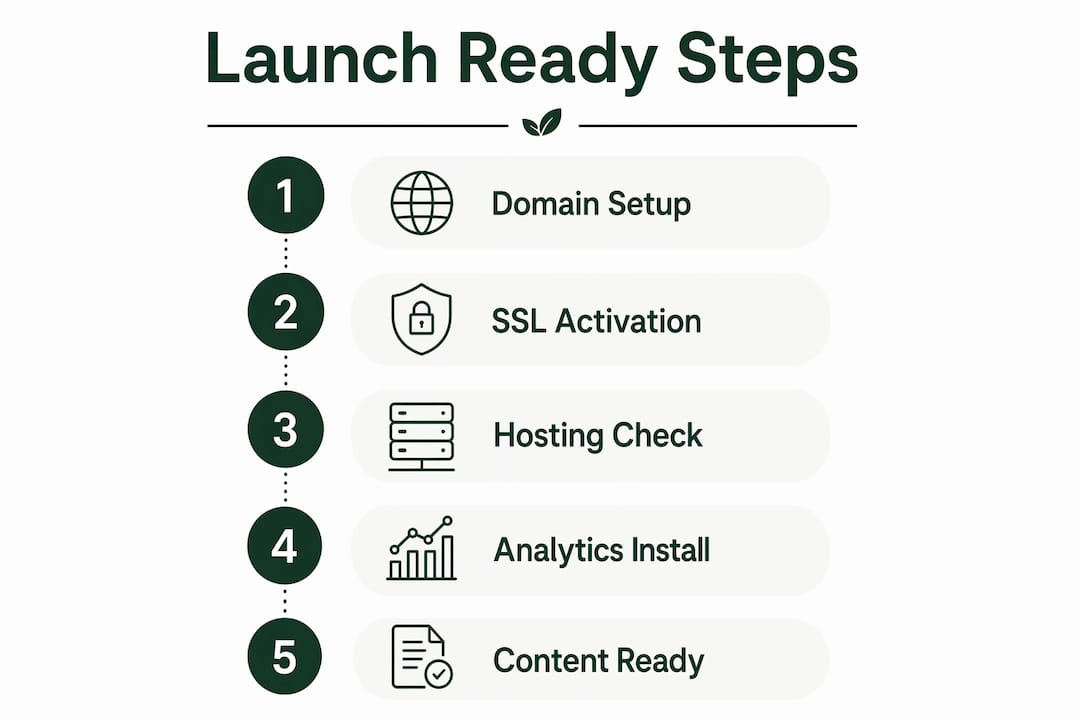
DNS and domain
Point your nameservers at your host first, before anything else. DNS propagation can take up to 48 hours, and starting the clock early saves you from a last-minute delay. Confirm propagation with a tool like DNS Checker before moving to SSL.
SSL/HTTPS
Let's Encrypt provides free certificates that most hosts install automatically. After installation, scan every page for mixed-content warnings: a single HTTP image on an HTTPS page will still trigger browser warnings. Your host's SSL report or a browser developer console catches these in seconds.
Hosting and scalability
Confirm your host guarantees at least 99.9% uptime and that automated daily backups are included. Verify your PHP version matches your CMS requirements. These details matter most in the first 30 days when traffic spikes are unpredictable.
Search Console and sitemap
Generate your XML sitemap, then submit it directly in Google Search Console under the Sitemaps report. Coverage data appears within a few days. If you see "Excluded" URLs you expect to be indexed, check for accidental noindex tags on those pages.
Before you go live, verify robots.txt on the production domain, not the staging URL. A disallow rule that blocks Googlebot from your entire site is invisible in staging and catastrophic in production. Check
yourdomain.com/robots.txtdirectly after DNS propagates.
Analytics and conversion events
Install GA4 before launch, not after. Tracking setup done post-launch means you lose your baseline: you'll never know what day-one traffic looked like. Tag your primary conversion event (form submit, phone click, purchase) at the same time.

Backup and rollback
Take a full manual backup immediately before the final publish. Confirm the restore workflow works by doing a test restore to a staging environment. Know who executes the rollback and how long it takes.
Pro Tip: Keep a rollback checklist with three items: restore backup, repoint DNS if needed, and notify your team. Having it written down means you execute in minutes, not hours.
What content and UX do you need ready on day one?
Customer-first design means the homepage answers three questions within seconds: what you do, who it's for, and what to do next. According to Mailchimp's launch guidance, the most common strategic mistake is building for the business instead of the customer.
Here's a minimal homepage template you can use right now:
- Hero headline: One sentence that names what you do and who you serve ("We help Chicago restaurants get found online")
- Supporting line: One sentence on the outcome ("Most clients see their Google profile views double in 60 days")
- Primary CTA button: One action, above the fold ("Get your free audit")
- Trust link: Privacy Policy and a contact page in the footer
For accessibility, run your pages through the WAVE tool or axe DevTools before launch. The WCAG basics to clear are: sufficient color contrast, alt text on all images, keyboard-navigable menus, and descriptive link text.
Pro Tip: Write your real headlines and CTAs before you finalize the design. Lorem ipsum hides copy-length problems that break layouts. A headline that runs three lines on mobile will ruin a design that looked perfect on a 27-inch monitor.
The VeeberMedia 55-step checklist puts copy-first and analytics pre-launch at the top of its five things that actually matter. That ranking is right.
How do you plan the launch timeline and test before go-live?
72-hour phased timeline
| Phase | Window | Key tasks |
|---|---|---|
| Domain and DNS | Hours 0–1 | Register domain, point nameservers, start propagation clock |
| Hosting and SSL | Hours 0–12 | Confirm host plan, install SSL, set up email |
| Build and test | Hours 12–60 | Build pages, write real copy, QA on mobile and desktop |
| Go-live checks | Hours 60–72 | Backup, remove noindex, submit sitemap, smoke-test forms |
This sequence comes from a real 72-hour launch workflow that keeps infrastructure costs low: a domain runs at a typical annual cost and basic hosting adds a small monthly fee on top.
Day-of launch order
- Take a full backup
- Confirm SSL is active and mixed-content-free
- Remove all staging noindex tags and robots.txt disallows
- Publish the XML sitemap and submit to Search Console
- Smoke-test every form with a real submission
- Verify GA4 is firing in Realtime
- Check the live URL's meta robots tag one final time
Rollback plan
Assign one person to own the rollback. They should have backup credentials, know the restore time (typically under 30 minutes with a good host), and be reachable for the first two hours after go-live. If traffic drops to zero or forms stop working within the first hour, restore first and diagnose second.
Statistic to keep in mind: According to Shopify's pre-launch checklist, accessibility checks, metadata review, and redirects validation are among the steps most often skipped under time pressure. They're also the ones that generate the most post-launch support tickets.
When does an AI-guided builder make sense for your launch?
Use an AI-guided path when you have at least one of these: a time constraint under a week, no copywriter on the team, or an existing business listing (Google Maps, Yelp, or similar) you can pull content from. Custom development makes more sense when you need complex integrations, a proprietary checkout flow, or a heavily branded experience that no template can approximate.
Talivo fits the first scenario well. The flow looks like this:
- Paste your URL or Google Maps listing into Talivo
- Talivo pulls your existing content: photos, reviews, contact info, and business description
- AI generates a mobile-first draft with real copy, not placeholders
- You review and adjust headlines, CTAs, and colors
- Go live with SSL and a sitemap already configured
This works for local businesses, freelancer landing pages, and MVP product sites where speed matters more than bespoke design. For a deeper look at what to expect from an AI build, the AI website builder guide walks through each step.
Pro Tip: If you're relaunching an outdated site, paste the existing URL into Talivo rather than starting from scratch. It retains your content and images while applying a modern, mobile-first layout, which cuts your review time significantly.
What should you monitor in the first 90 days?
Days 1–30: smoke checks
- Confirm uptime is stable (set a free monitor in UptimeRobot)
- Check GA4 daily for traffic anomalies or zero-session days
- Verify all forms are delivering submissions to the right inbox
- Review Search Console for crawl errors or coverage drops
Days 31–60: performance and SEO
- Run a WebsiteReady audit to catch any remaining launch blockers
- Add schema markup (LocalBusiness or Organization) if not already present
- Review page speed in Google PageSpeed Insights and fix the top two issues
- Start one CRO experiment: test a second CTA placement or headline variant
Days 61–90: growth baseline
- Check Search Console index coverage: are your key pages indexed?
- Identify your top three landing pages and expand their content
- Begin a simple link-building effort: one directory submission or press mention per week
- Review GA4 conversion events against your launch-day goals
If metrics look wrong at any point, run this sequence: confirm GA4 tag is firing, check for accidental noindex on affected pages, and review server logs for 4xx or 5xx errors. Rollback is a last resort, but keep the option available for the first 30 days.
Key Takeaways
A launch-ready website passes five measurable checks before going public: SSL active, GA4 installed, XML sitemap submitted to Google Search Console, robots.txt allowing crawling, and a live Privacy Policy.
| Point | Details |
|---|---|
| Security and DNS first | Point nameservers early; SSL and mixed-content checks must pass before any other step. |
| Analytics before launch | Install GA4 and tag conversion events pre-launch or you lose your day-one baseline permanently. |
| Copy before design | Write real headlines and CTAs before finalizing layouts to prevent mobile breakage and post-launch rework. |
| Backup before publish | Take a full manual backup immediately before go-live and confirm the restore workflow works. |
| Talivo for fast launches | Paste a URL or Google Maps listing into Talivo to get a mobile-first, SSL-ready site live without writing copy from scratch. |
The part most launch guides get wrong
Most pre-launch guides treat the checklist as the hard part. It isn't. The checklist is mechanical: either the SSL cert is installed or it isn't. The genuinely difficult part is writing copy that answers "what do you do, who is it for, and what should I do next" in under five seconds. Most business owners skip this because it feels uncomfortable, and they ship a homepage that talks about their company history instead of the customer's problem.
The second mistake is treating launch as a finish line. A quiet soft launch for the first one to two weeks is actually the smarter move. You catch live-only issues (forms that work in staging but fail in production, images that load slowly on mobile networks) before you drive real traffic to them. The JetHost 10-step framework calls maintenance and monitoring a full phase of the launch process, not an afterthought. That framing is correct.
If you're relaunching an outdated site, check the common outdated website features list before you start. Removing legacy features during a relaunch is far cheaper than patching them afterward.
Get your site live faster with Talivo
Most entrepreneurs spend more time worrying about their website than building it. Talivo removes that bottleneck. Paste your existing URL or Google Maps listing, and Talivo generates a mobile-first, professionally designed site with your real content, photos, and reviews already in place. No copywriting required, no blank-page paralysis.
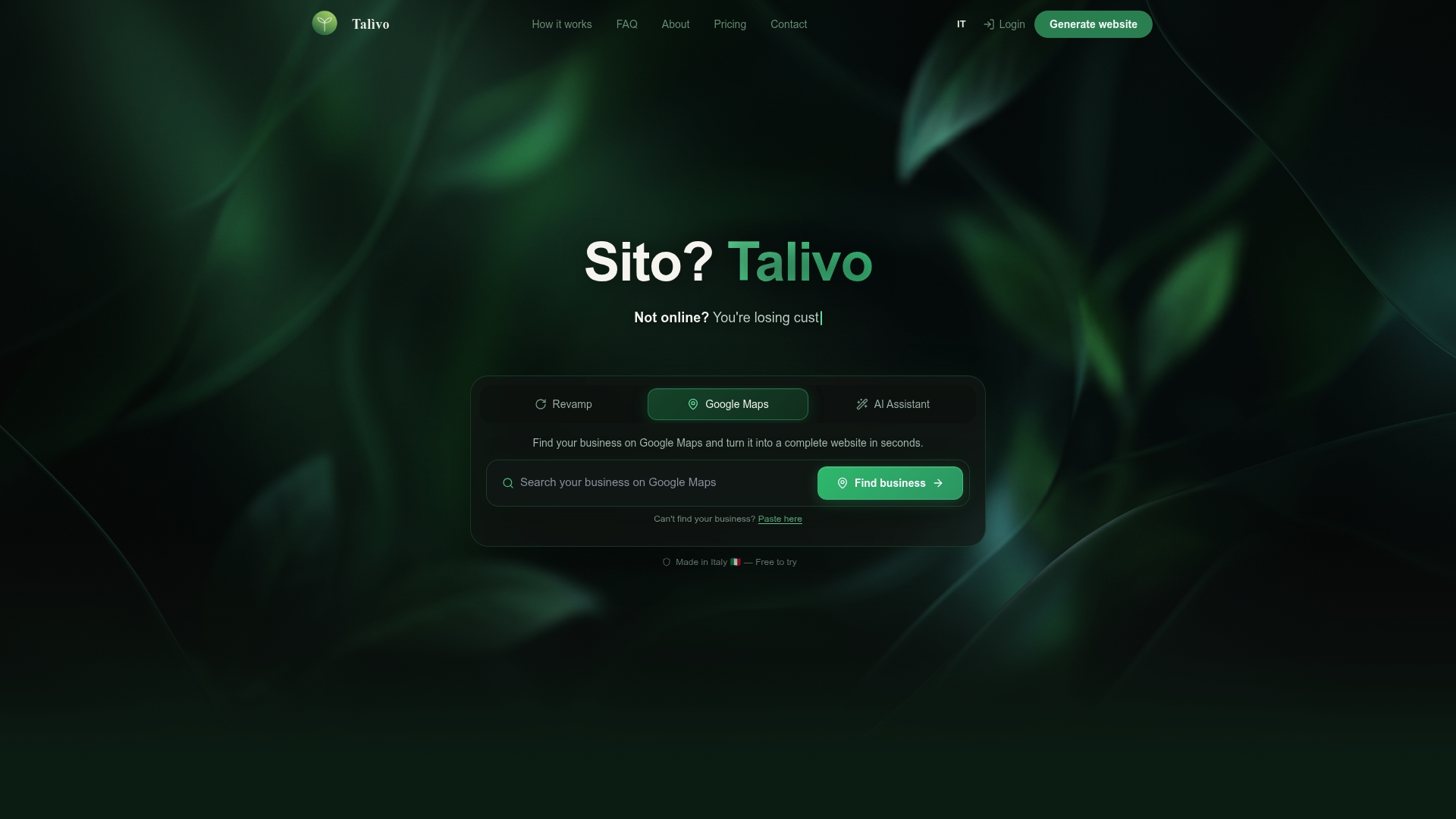
Key features that matter at launch:
- AI-driven content generation from your existing listing or URL
- Mobile-first templates with automatic SSL configured
- Real copy pulled from your business data, not placeholder text
- Step-by-step guidance for entrepreneurs building from scratch
See exactly how it works at Talivo's how-it-works page and go from listing to live site in minutes.
Useful sources and further reading
- Google Search Central: Essentials for Launching a Site — official guidance on GA4, sitemap, SSL, and robots.txt requirements
- Google Search Central: Block Indexing and Noindex Guidance — how to verify and remove staging noindex tags
- WebsiteReady: Automated Pre-Launch Audit — run this on your live URL to catch robots.txt, sitemap, and CTA blockers before promotion
- VeeberMedia: 55-Step Website Launch Checklist — comprehensive phased checklist covering foundation through post-launch
- Hostaccent: Real 72-Hour Launch Timeline — practical sequencing and infrastructure cost guidance
- Shopify: 19-Step Website Launch Checklist — covers metadata, accessibility, and redirects validation
- JetHost: 10-Step Checklist for a Successful Launch — sequencing from strategy through post-launch maintenance
- Mailchimp: Website Launch Checklist and Strategy — customer-first messaging and CTA strategy guidance